




 Over 20.000 happy daily users · No credit card required
Why projects run over and margins disappear
Hours in work orders, materials in Excel, additional work agreed verbally — and you only find out what the project really cost afterwards.
 “You only realise you’re over budget when it’s too late”Registered hours and material costs are scattered across work orders and spreadsheets. You only see the project wasn’t profitable after it’s finished. “You only realise you’re over budget when it’s too late”Registered hours and material costs are scattered across work orders and spreadsheets. You only see the project wasn’t profitable after it’s finished. |  “Additional work forgotten and never invoiced”An engineer fixes an extra problem on site. Agreed verbally, never documented. The customer pays the main job — the extras disappear into thin air. Every week. “Additional work forgotten and never invoiced”An engineer fixes an extra problem on site. Agreed verbally, never documented. The customer pays the main job — the extras disappear into thin air. Every week. |  “Tracking progress via WhatsApp”“How far along are you?” — you ask that ten times a day. Engineers send updates over WhatsApp, teams work past each other and the planner never has a current picture. “Tracking progress via WhatsApp”“How far along are you?” — you ask that ten times a day. Engineers send updates over WhatsApp, teams work past each other and the planner never has a current picture. |
 “Multiple engineers, nobody has the full picture”On a project with three engineers nobody knows exactly what the others have done. Duplicate work, waiting times, missed tasks — and the invoice total doesn’t add up. “Multiple engineers, nobody has the full picture”On a project with three engineers nobody knows exactly what the others have done. Duplicate work, waiting times, missed tasks — and the invoice total doesn’t add up. |  “Consolidating hours takes longer than the project itself”Afterwards you collect work orders, add up hours, dig out material costs — all manually. The post-calculation takes longer than the job itself and is rarely quite right. “Consolidating hours takes longer than the project itself”Afterwards you collect work orders, add up hours, dig out material costs — all manually. The post-calculation takes longer than the job itself and is rarely quite right. |  “No post-calculation, no lesson learned”Was the project profitable? You have no idea because data is scattered. On the next project you make the same estimation mistake. “No post-calculation, no lesson learned”Was the project profitable? You have no idea because data is scattered. On the next project you make the same estimation mistake. |
Sound familiar? Here’s how OutSmart solves it.
See the solution ↓Project Dashboard See costs, hours and progress live — and catch margin erosion while you can still fix it, not on the final invoice.Link work orders, hours and materials to one project. The dashboard shows live what has been booked, what it costs and whether you’re still within budget.
“OutSmart has significantly improved our workflows. The AFAS integration makes post-calculation and invoicing seamless.” Tom Groot · VKS Schiedam |
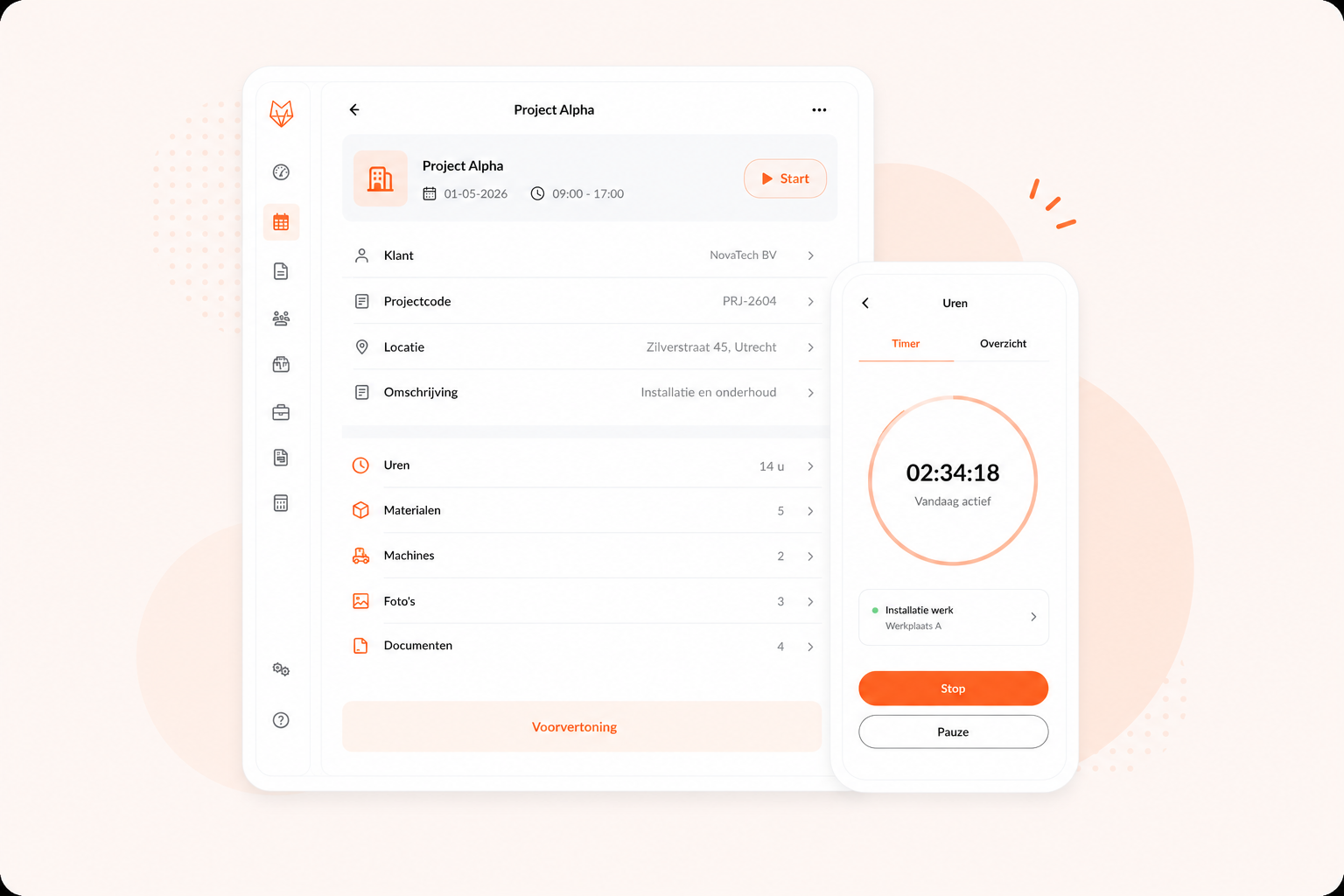

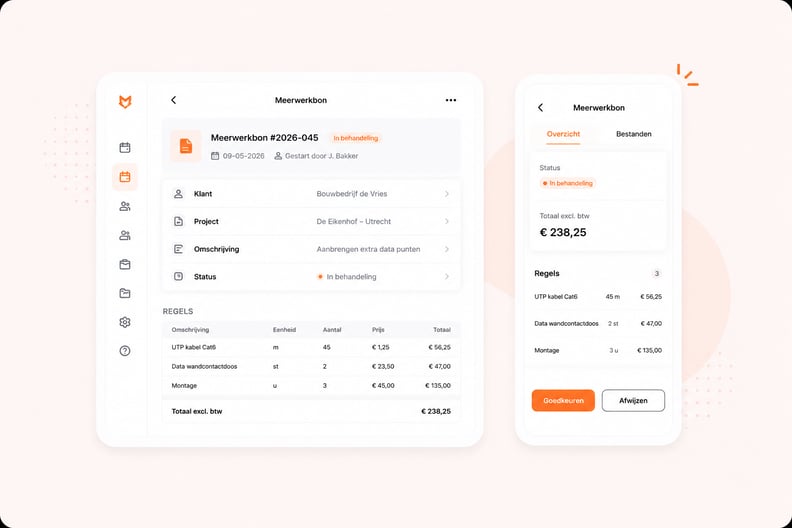
Additional Work & Phases Capture every bit of extra work with digital customer approval — so nothing slips through and there are no disputes when you invoice.The engineer records additional work directly in the app as an extras work order. The customer approves digitally on the spot. Large projects are divided into phases with tasks per engineer.
“OutSmart gives us a clear system for projects, service and maintenance. Scheduling has become so much simpler.” Kimberley · Oostendorp Nederland |
Planning & Team Put multiple engineers on one project and keep everyone in sync — one shared overview instead of scattered WhatsApp threads and duplicated work.Via the planning board you schedule multiple engineers on the same project. Everyone sees their own tasks and registers hours live in the app.
“With OutSmart we work fully digital: engineers see their jobs instantly and we respond faster to urgent calls.” Martijn Kooijman · AaproTect |
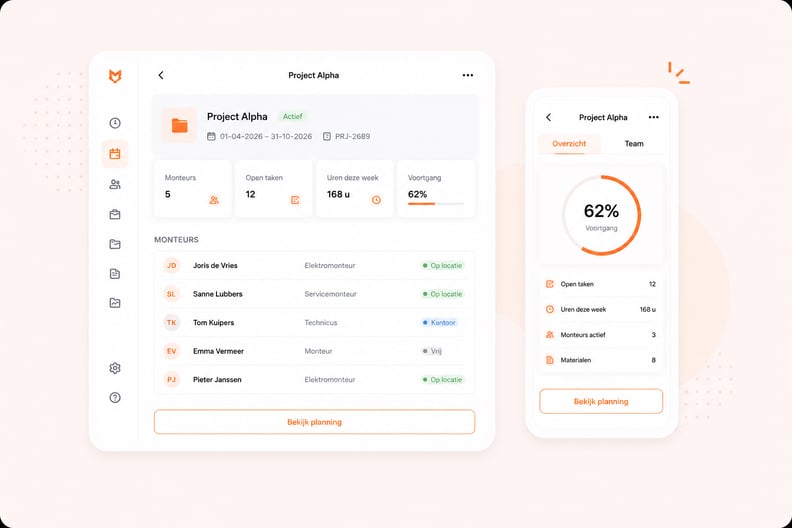
Project Dashboard
See costs, hours and progress live — and catch margin erosion while you can still fix it, not on the final invoice.Link work orders, hours and materials to one project. The dashboard shows live what has been booked, what it costs and whether you’re still within budget.
“OutSmart has significantly improved our workflows. Thanks to the AFAS integration, post-calculation and invoicing are perfectly handled.” Tom Groot · VKS Schiedam |
Suitable for every field service sector
Project management in OutSmart works for any field service company that operates with budgets, multiple engineers and lead times.
 |  |  |
 |  |  |



Planning & Team
Put multiple engineers on one project and keep everyone in sync — one shared overview instead of scattered WhatsApp threads and duplicated work.Via the planning board you schedule multiple engineers on the same project. Everyone sees their own tasks and registers hours live in the app.
“With OutSmart we work fully digitally: engineers see their jobs directly and we respond faster to urgent calls.” Martijn Kooijman · AaproTect |