

Relationship management

All customer information centrally available.

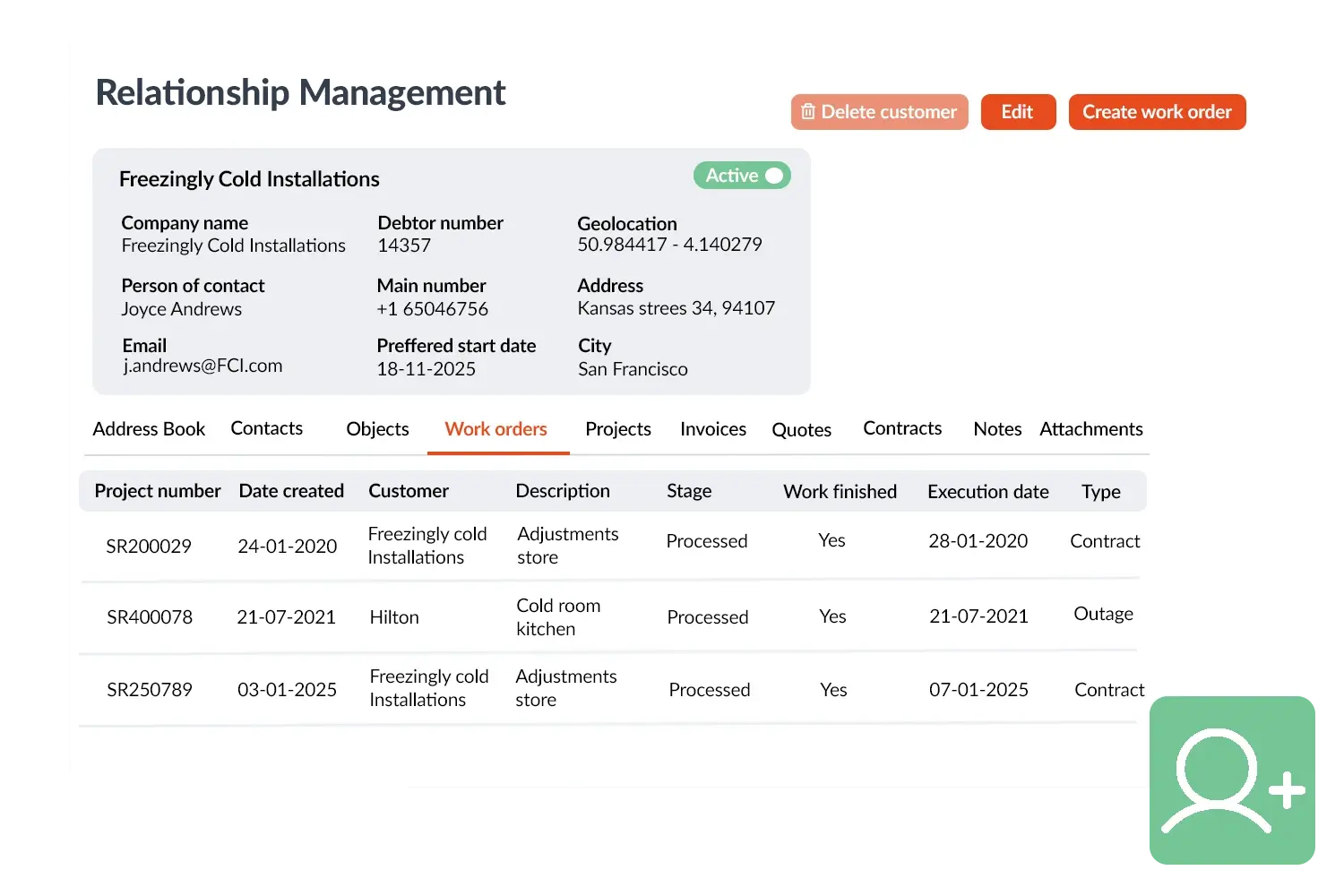
With Relationship Management in OutSmart you manage all your customers and relationships in one place. You easily store address data, multiple addresses and contact persons so that everyone in the team always works with the right information. Whether it concerns an invoice address, a work address or a project location: everything is clearly linked to the same customer.

5_stars    Over 20.000 happy daily users
_BEN0868 transparant

OutSmart Relationship Management is a contact and account management module built for field service companies. It connects every customer relationship — contacts, communication history, open jobs, contracts, and quotes — in a single profile. Your team always has the full picture of a customer before picking up the phone, arriving on-site, or sending an invoice.

Scattered contact management vs. OutSmart Relationship Management

Topic Without OutSmart With OutSmart
Customer profile Contacts in one tool, jobs in another, invoices in accounting Complete profile — contacts, history, jobs, and contracts in one view
Communication log Emails in inboxes, calls in memory — no central record All interactions logged per customer — searchable and shared
Account ownership Unclear — whoever last dealt with the client de facto owns it Account manager assigned with activity log visible to the whole team
Pre-call preparation Scramble through emails and systems before calling Full customer context visible in seconds — prepared every time
Follow-up tasks Sticky notes, calendar reminders, or forgotten Follow-up tasks linked to the account — nothing falls through
Customer value No overview — revenue and history not connected Revenue, open work, and satisfaction visible per customer
 

Manage and view customer history

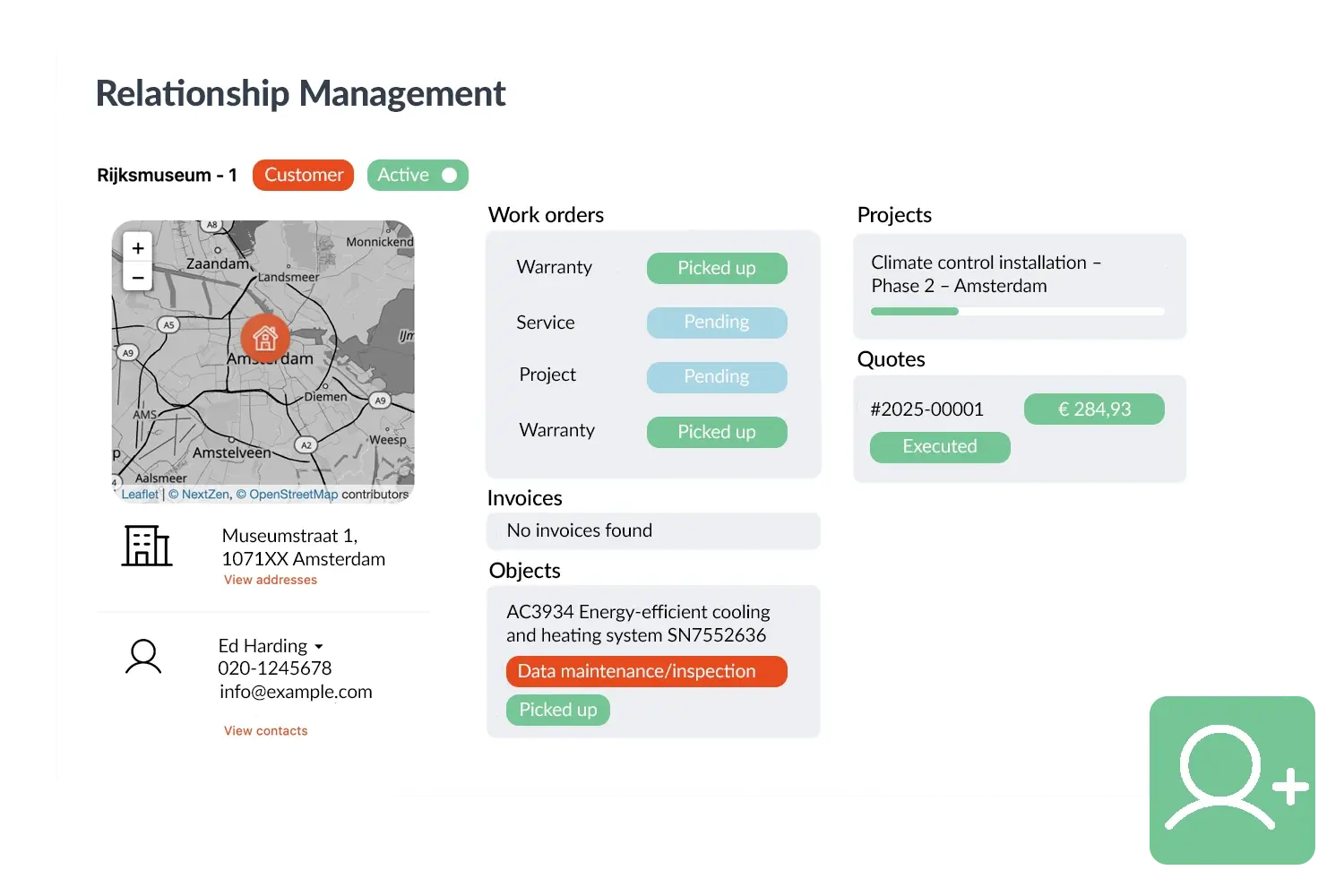
Because all information is central, you have immediate insight into the customer history. You see which work orders, quotations or invoices have previously been created for a customer and prevent duplicate work. This makes cooperation between field service and back office easier and ensures a more professional customer experience.

Relationship Management forms the basis for an efficient workflow. It prevents data from being scattered across different systems or notes and ensures that both office and field service always work with the same current information. This keeps the work flowing and improves collaboration.
Relatiebeheer visual
 

Practical example

A service company links multiple branches of a customer (office, workshop and warehouse) to the same relationship card. This allows the planner to select the correct address directly for a new assignment and see which work has previously been carried out – without technicians or administration having to do double work.

Benefits
  • Always the correct customer and address details at hand
  • Overview of previous work orders, quotations and invoices
  • Multiple locations and contact persons per customer possible
  • Easier collaboration between office and field service
Relatiebeheer visual 2-1
3232784

Work orders per year

5172

Customers trust OutSmart

14
+

Years of experience

We constantly had to create work orders manually with pen and paper. By providing a clear digital system with many options, along with an excellent helpdesk that assists with everything, even the smallest questions, Outsmart has helped us.

Thomas Loos, Display4all

We used to lose work orders now and then, which made tracking time a challenge. With the easy digital entry of work orders, it's much simpler for the technician to manage the administration. Having 100% accurate work orders has definitely cut our administrative time in half.

Pascal Hanenbergh, Hanenberg Techniek


Frequently asked questions about OutSmart Relationship Management

Relationship management in field service software connects all customer data — contacts, communication history, work orders, contracts, quotes, and invoices — in a single account record. OutSmart Relationship Management gives every team member the full customer picture instantly, improving service quality and account retention.

A standalone CRM manages contacts and sales pipelines but has no connection to your operational data. OutSmart Relationship Management is built into the same platform as planning, work orders, and billing — so the full service history, open jobs, and contract status are visible in the customer profile without any integration or manual sync.

Yes. Interactions — calls, emails, site visits, and notes — can be logged against any customer record. The full communication history is visible to anyone in your team, so context is never lost when an account changes hands or a colleague covers for someone.

Yes. Each customer account can have an assigned account manager. That person receives notifications for key events — contract renewals, outstanding quotes, overdue invoices — and is the named contact for the client relationship.

Yes. The customer profile shows all open quotes, pending approvals, and outstanding work alongside current and historical jobs. Sales and service teams can see the full commercial picture without switching tools.

Yes. OutSmart supports custom tags and filters so you can segment your customer base by industry, region, contract type, revenue tier, or any field relevant to your business — useful for renewal campaigns, targeted communication, or service prioritisation.

Yes. All invoices issued to a customer are visible in their account profile. Outstanding balances, payment history, and credit status are accessible directly from the customer record — so your team knows the financial position of any account before making commitments.

Try OutSmart completely free for 14 days!