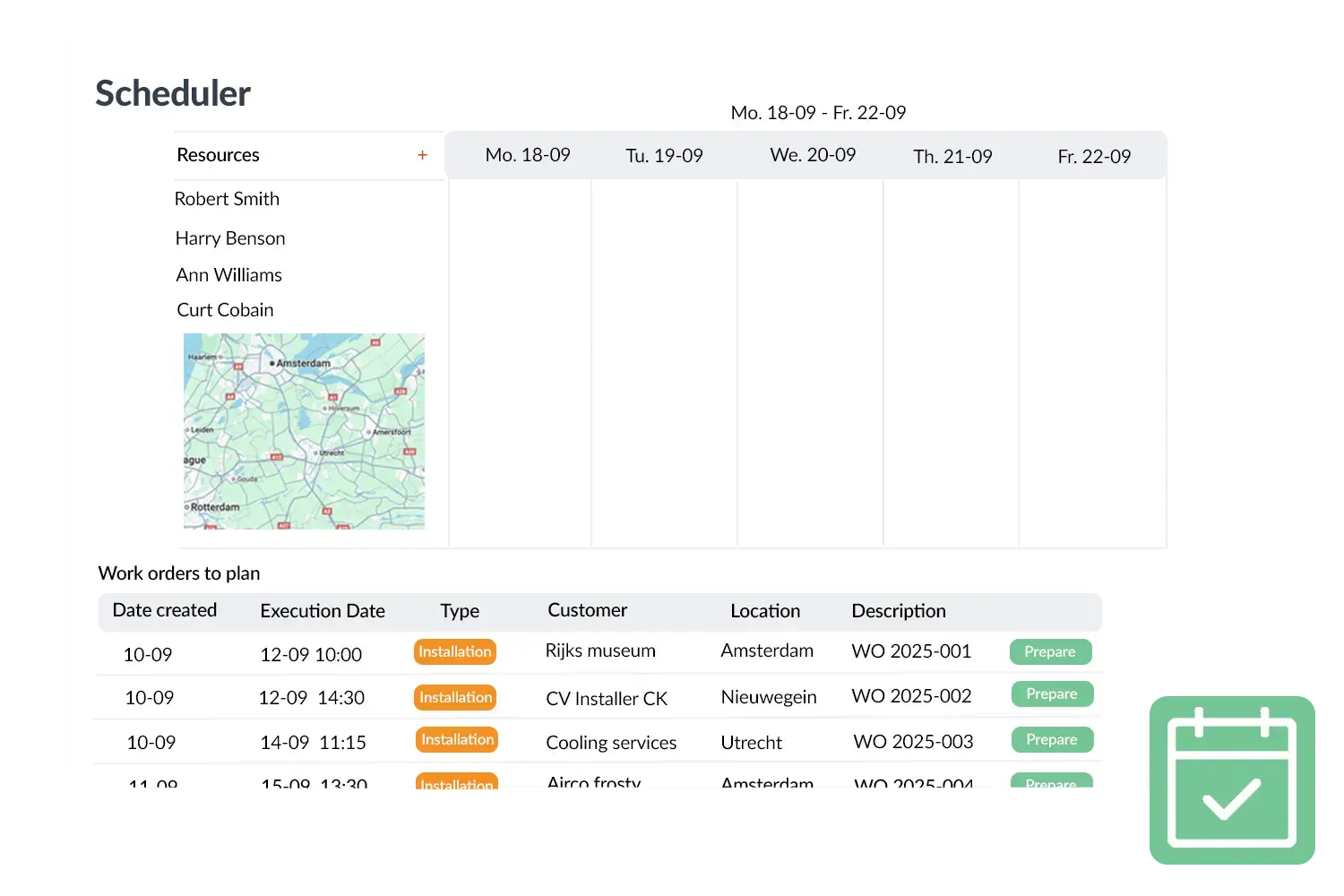



Digital work orders your field team fills in on-site
Your team logs materials, hours, notes, photos and a customer signature straight from the app — and it's ready to invoice the same day.
With Work Orders in OutSmart you digitally record all the work of your field service – centrally and always accessible. Employees fill in work orders via the app on smartphone or tablet, including materials, hours, notes, photos and a digital customer signature. Work orders can also be filled in offline; as soon as there is connection again everything is automatically synchronised.
How DeMo grew 15% without hiring extra staff
Situation
DeMo Service & Industrial Doors was growing 15% year on year. Paper work orders, separate Excel files and manual invoicing were causing the back office to seize up. Technicians turned in orders late, customers were being invoiced weeks after completion.
Action
DeMo switched to OutSmart — rolling out digital work orders, the scheduling board, quotations and their accounting integration in a single go. Technicians received training within a week and were operational immediately.
Result
One system where everything comes together. Full control over the process from planning to invoicing — allowing DeMo to keep growing without chaos or extra headcount.
Results after switching to OutSmart
with the same team size
per technician per week
from order to invoice
Sound familiar?
What paper work orders cost you every week
"Where did last week's work order go?"
Paper orders get wet, torn or left in the van. By the time the invoice gets sent — if it does — the details are wrong or the job is half forgotten.
"I have to type everything in manually"
Technician writes it down, the office types it over. Every handover is a chance for errors — wrong hours, missed materials, disputed invoices.
"The customer is querying the invoice and I have no idea"
Information lives in the van, on paper, and in your memory. When a customer calls to dispute a charge, there's nothing to refer back to.
"I don't know who's available tomorrow"
Scheduling happens over the phone or through a whiteboard. One call changes everything — and there's no single source of truth for who's doing what.
"What did the last technician do here?"
Without a digital service history, every job starts from scratch. Technicians waste time on-site trying to piece together what happened before.
"We run five separate systems that don't talk to each other"
One app for scheduling, one for time tracking, one for invoicing, one for customers. You bridge them all manually — and something always slips through.
What a Work Order App Actually Does for Your Field Service Team
A work order app eliminates the gap between what happens on-site and what gets recorded in the back office. Instead of paper forms that get lost, illegible handwriting, and hours of re-entry at the end of the day — everything is captured digitally in the field, in real time.
Here's what technicians can do with a mobile work order app like OutSmart:
Log hours & materials on the job
Technicians select job types, add materials from the catalogue and register hours per task — directly on their phone or tablet, with or without internet.
Capture proof with photos
Before and after photos are attached to the work order automatically. No more disputes about what was or wasn't done on site.
Collect digital signatures
Customer signs on the technician's screen at job completion. The signed work order is instantly visible in the back office — legally valid, no paper needed.
Convert to invoice with one click
Once a work order is closed, the back office can generate an invoice immediately. All hours and materials are already there — no re-entry, no missed billable items.
Benchmark: how many work orders does a field service company process?
Aggregated usage data from 2,210 customer environments shows that an active technician handles a median of 24 work orders per month, with 2.25 recorded hours per work order. Among the ten percent most productive companies that rises to 84 work orders per technician per month.
|
16.7M
work orders processed
across all customer environments
|
24
work orders per technician
per month (median); top 10%: 84
|
2.25 hrs
recorded per work order
median, 1,879 companies
|
2.9 days
from scheduled to completed
median, 2,044 companies
|
Source: aggregated usage data from 2,210 OutSmart customer environments, reference date 4 June 2026. All values are medians across companies unless stated otherwise. See the full Field Service Benchmark 2026.
OutSmart Work Orders is a digital work order app for field service companies that lets technicians record hours, materials, photos and customer signatures via smartphone or tablet — online or offline. Completed work orders convert to invoices with a single click, eliminating manual data entry. Trusted by 5,172 companies. From €168/year.
Paper-based work orders vs. OutSmart Work Orders
| Step | Without OutSmart | With OutSmart |
|---|---|---|
| Job assignment | Phone call or WhatsApp to each technician | Automatic notification to app — no calls needed |
| On-site registration | Paper form filled in by hand, often incomplete | Digital form on smartphone — photos, signature, materials |
| Processing time | 1–2 days after job: form collected and typed up | Data available in real time, as the job happens |
| Customer signature | Paper signature, scanned or posted | Digital signature on the technician's tablet, instant |
| Invoice trigger | Wait for the form — days of delay | Job closed on app — invoice ready the same day |
| Lost or unreadable | Happens regularly, causes disputes | Never — everything stored digitally with timestamp |
Digital work orders
Because work orders are visible in real time to both the office and the field service you always have insight into the progress. No paper hassle or illegible handwriting, but a streamlined process from planning to invoicing. This way you work faster, error‑free and more professionally towards your customer.
Work Orders form the core of your workflow in OutSmart. They connect planning, time registration, materials and invoicing in one clear process. This not only increases efficiency but also offers your customer a consistent and transparent experience.
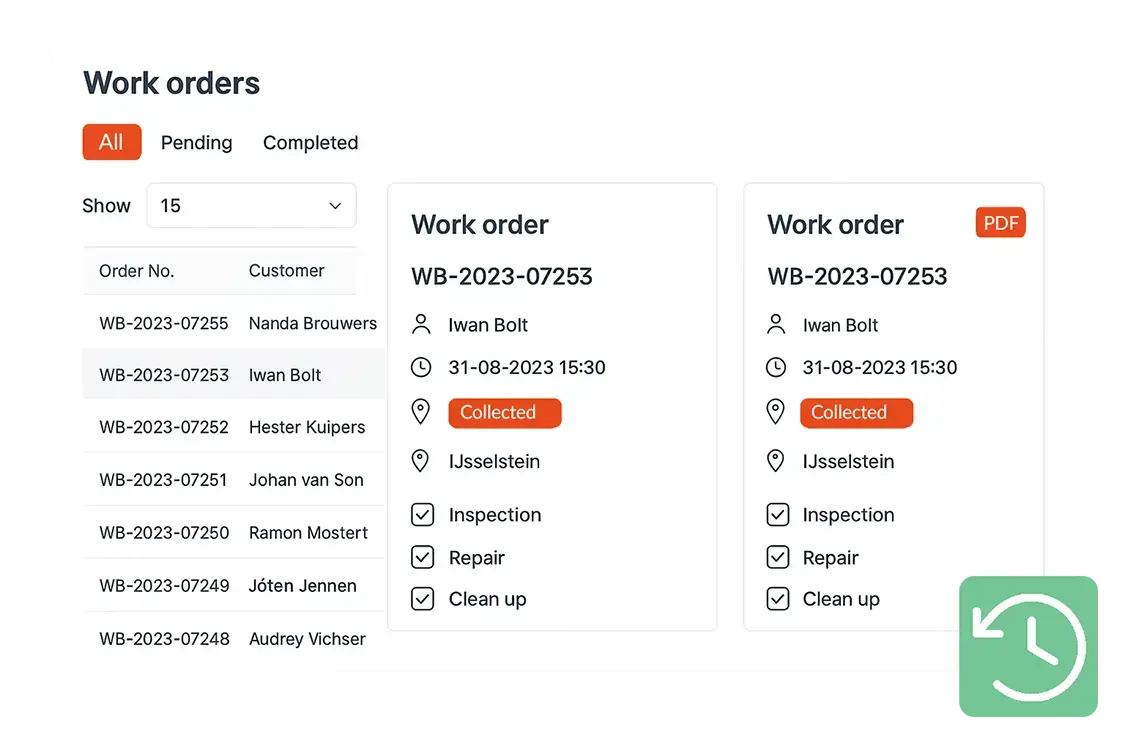
Practical example
A technician completes a repair and enters the used materials and worked hours directly in the work order app. The customer signs digitally for approval after which the data is automatically available for the back office. Within minutes the invoice can be sent.
Benefits
- Always up‑to‑date – real‑time insight for office and field service
- Offline available – also work without internet connection
- Complete – add materials, hours, photos and signatures
- Efficient workflow – seamless connection with planning and invoicing
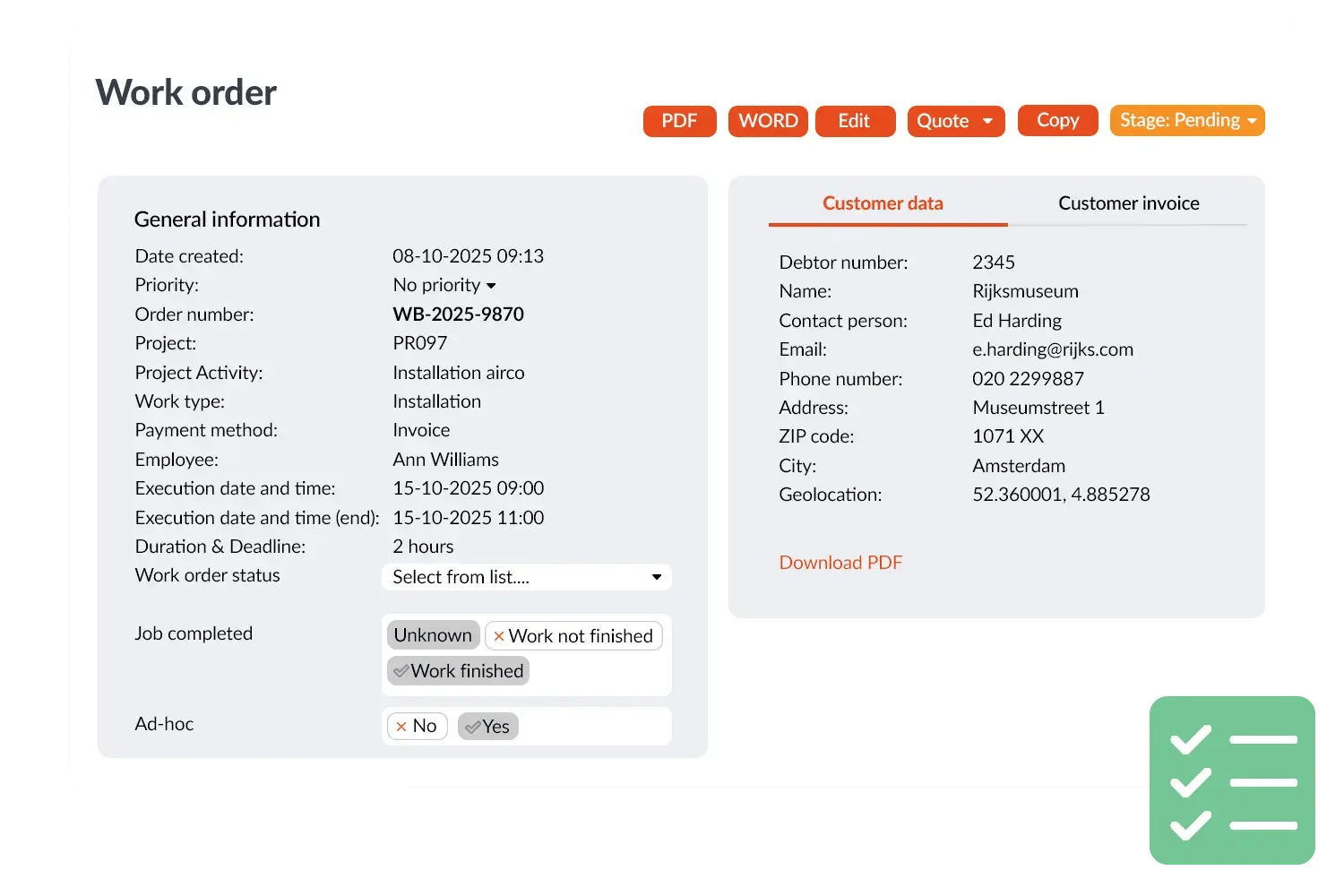
Legally valid on-the-spot — no disputes afterwards
The customer signs on the technician's phone or tablet. The signature is legally valid, timestamped and stored together with the work order and photos. No paperwork to post, no arguments weeks later.
- Customer signs directly on the technician's screen
- Work order automatically emailed to the customer
- Customer portal: clients view their own work orders
- Digital signature compliant with eIDAS regulation
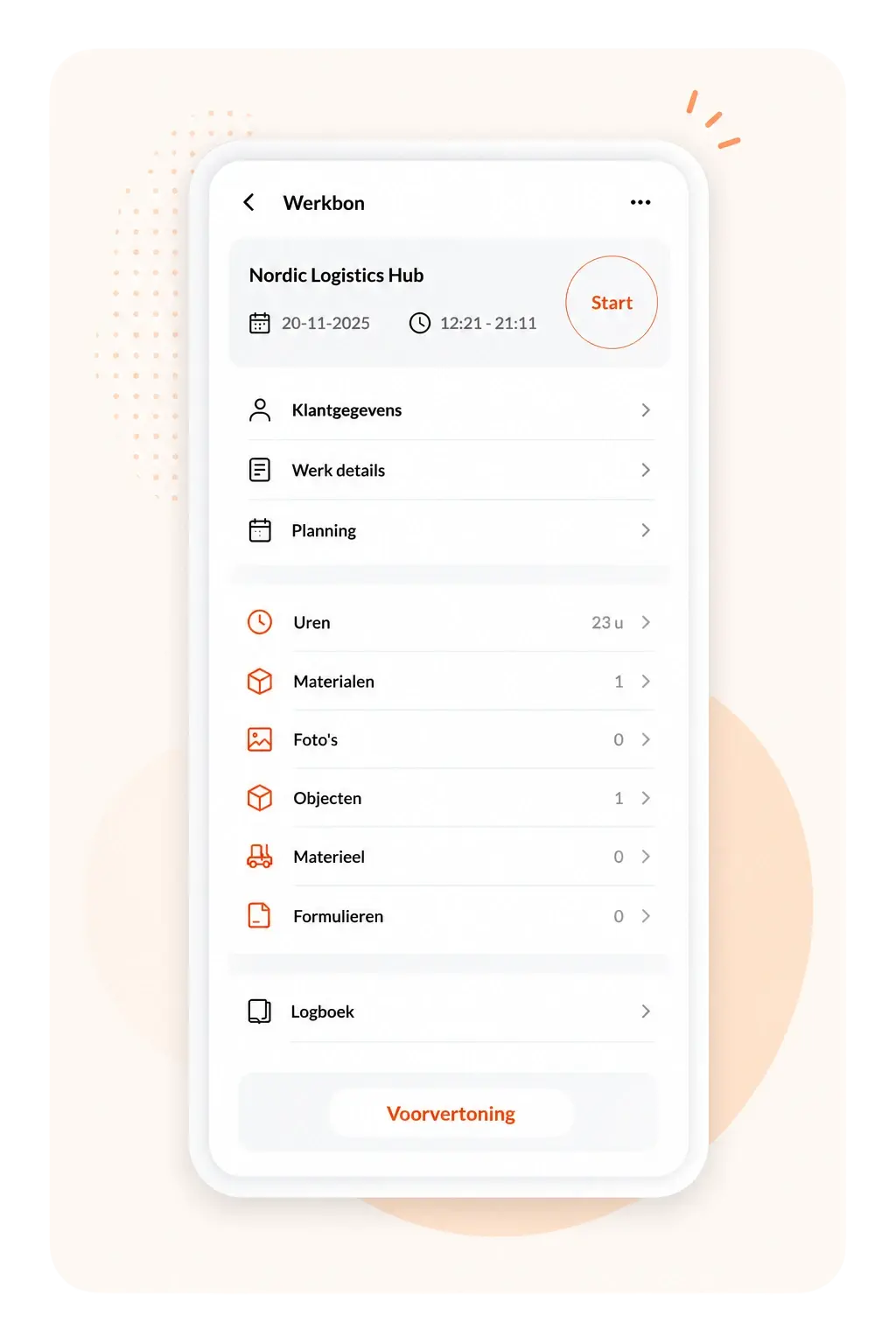
From work order to invoice — the same day
Once the work order is signed off, invoicing takes one click. Hours and materials flow straight into your accounting package. No re-entry, no delays, no missing items.
- Convert work order to invoice in one click
- Direct integration with Exact, AFAS, SnelStart and 47+ other tools
- Automatic post-calculation — margin visible immediately
- Invoice sent the same day the job is done
Work orders per year
Customers trust OutSmart
Years of experience
By sector
Built for every field service business
Installation & Electrical
Digital work orders, scheduling, maintenance contracts — for electrical, plumbing and climate systems. Everything linked from planning to invoice.
Construction & Maintenance
Project management, work orders and time registration for construction and renovation teams. Full history per object.
Security & Fire Safety
Work orders, object management and service contracts for security and fire protection companies. Certification records included.
Refrigeration & HVAC
Work orders, F-gas logbooks, preventive maintenance scheduling. All compliance documentation in one place.
Doors & Access Technology
Service rounds, work orders, certificates and maintenance schedules for door and access control specialists.
Facility & Cleaning
Shift scheduling, work orders and reporting for facility management and cleaning companies. Real-time overview always.
What customers say
Field service companies share their experience with OutSmart digital work orders.
.webp)
"The switch to digital work orders went smoothly. We now work with much more clarity, speed and certainty."
-2.png)
"OutSmart gives us a clear system for projects, service and maintenance. Scheduling has become so much simpler."
-1.png)
"OutSmart has significantly improved our workflows. Thanks to the AFAS integration, post-calculation and invoicing are seamless."
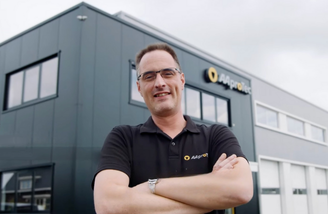
"With OutSmart we work fully digital — technicians see their jobs straight away and we respond faster to urgent calls."

Frequently asked questions about Work Orders
OutSmart Work Orders is a digital work order app for field service companies. Technicians fill in hours, materials, photos and customer signatures directly via smartphone or tablet — online or offline. Completed work orders are converted to invoices with a single click. Trusted by over 5,172 companies.
OutSmart starts at €168/year for one user (Launch plan). The Boost plan for 2 users costs €416/year and the most popular Accelerate plan for 5 users costs €1,625/year. All plans include a 14-day free trial — no credit card required.
Sign up for free at out-smart.com, add your team members and customers, and start creating digital work orders the same day. Most companies are fully live within one week — no complex implementation required.
Yes — for work that's already on the device. An assigned work order that has already synced stays available offline, so technicians can log hours, materials, photos, notes and a signature without a connection. An internet connection is needed to receive new or changed work orders from the office and to send a completed work order back. As soon as the device is back online, the app syncs automatically.
Check that the device shows it's back online, then trigger a manual sync in the app to refresh work orders, settings and other data. Any work orders that were completed while offline can then be opened and sent back to the office.
OutSmart offers direct integrations with Exact Online, AFAS, SnelStart and Moneybird. Completed work orders and invoices are transferred automatically — no manual exports or double entry needed.
Most field service companies are up and running with OutSmart within one week. Technicians pick up the app quickly — onboarding typically takes less than half a day per person. OutSmart offers guided implementation packages for larger teams.
Digital work orders remove the manual re-entry, lost paperwork and delayed invoicing that come with paper processes. Technicians fill in hours, materials, photos and signatures on their phone or tablet, so the office sees job status in real time instead of waiting for a paper form to come back. Completed work orders convert to invoices with a single click, so nothing gets lost or forgotten between the field and the back office.
Billing leakage happens when hours, materials or travel time performed in the field never make it onto an invoice. In OutSmart, technicians register everything directly on the digital work order at each site, and that work order converts to an invoice with a single click — including hours, materials and any additional work — so nothing gets missed between what was done and what gets billed, even across many maintenance locations.
OutSmart's mobile app lets field technicians view scheduled work orders, register hours and travel time, add materials, photos and notes, fill in forms, and collect customer signatures — all synced directly with the back office. It's available for both iOS and Android.
OutSmart keeps previously synced data available on the device even without an internet connection, and technicians can complete a work order fully offline. Once the connection returns, the app automatically syncs and sends the completed work back to the office — no manual re-entry needed.
Yes. Technicians can add free-text notes to any work order alongside hours, materials, photos and signatures — for example to record what was found on-site, follow-up actions, or details a colleague needs before a return visit. Notes are saved with the work order and visible to the back office in real time.
Not quite. vWork is a dispatch and last-mile delivery platform built for larger fleets, mainly in logistics and delivery. OutSmart is field service software for small and mid-sized European service businesses — plumbing, HVAC, cleaning, security and more — combining scheduling, digital work orders and invoicing in one system built for that size and market.
Yes. You can attach a custom checklist or sign-off form to a work order using OutSmart Visual Forms — turning your existing paper checklist into a digital one without changing its layout. Technicians complete it on-site alongside hours, materials, photos, and the customer's signature, so a work order carries clear proof of what was checked before it's marked complete.
Each technician's work order updates — hours, materials, photos, notes — are stored on the device and sync automatically as soon as a connection is available. When a job involves more than one technician, updates from each device sync independently, so the back office sees a combined, timestamped history of who logged what, without anyone needing to be online at the same time.
Yes. OutSmart's calculation module compares what a job was quoted or budgeted for against the hours and materials technicians actually record on the work order, showing your margin per job automatically — no manual spreadsheet needed. This is available on the Maximize plan.
Yes. For data submitted through the app or website on behalf of a business customer — names, photos, signatures and location data of technicians and customers — OutSmart acts as a data processor under GDPR Article 4(8), and only processes it on that customer's instructions under a data processing agreement. Customers get a Privacy & data dashboard in their account for insight into that processing. OutSmart's security policy is based on ISO 27001, and sub-processors are limited to a short list — Atlassian Jira, Google Maps, MessageBird, Twilio SendGrid and HubSpot — mostly in countries with an EU adequacy decision; Standard Contractual Clauses apply where they're not (Atlassian, US). See the full privacy statement for details.
A standard consumer phone or tablet on a current iOS or Android version is enough for most field teams — OutSmart doesn't require a specific brand or model. For harsh, dirty or wet conditions, a rugged device with an IP68 rating, drop resistance and a screen that works with work gloves is worth the investment. Check the current minimum OS requirements in the App Store or Google Play listing before buying new devices.
Multiple technicians per job
Yes — multiple technicians can collaborate on one digital work order
Individual hours per technician
Each technician logs their own start and end time. Hours are recorded accurately and visibly, linked to the same work order.
Shared material use
Materials are tracked at work order level — not per technician. Anyone on the job can add materials; they all appear on the one invoice.
One customer signature
The last technician on site collects the digital signature. One sign-off covers everything — no duplicate paperwork, no confusion.
Do technicians need to be on-site at the same time?
No. Technician A works in the morning, Technician B in the afternoon — both log their hours independently. The work order captures all contributions. This is ideal for larger installations, complex repairs, or staggered shift work.
|
5,172
field service companies
in the Netherlands and Belgium
|
20,000+
daily users
work with OutSmart every day
|
100%
accurate work orders
Pascal Hanenbergh · Hanenberg Techniek
|
14+
years of experience
part of Visma Group
|