


Document management

Always the right documents at hand.

With Document Management in OutSmart you easily add documents to work orders, projects or relationships. Think of manuals, certificates or previous reports. This way the field service always has direct access to the right information, without loose papers or messy folders.

You can also link documents by default to a type of work or a specific customer.

5_stars    Over 20.000 happy daily users
Alexandra-met-phone

OutSmart Document Management is digital document storage for field service companies. It centralises manuals, inspection reports, certificates, contracts, and service records — linked to the relevant customer, asset, or work order. Technicians access the documents they need from their phone on-site, and office staff can retrieve any file instantly without searching through email threads or shared drives.

Scattered file storage vs. OutSmart Document Management

Topic Without OutSmart With OutSmart
Document storage Email attachments, shared drives, paper folders — no structure All documents linked to customer, asset, or job — one place
Field access Technician calls office to ask someone to email a manual Technician opens the document on their phone before or during the job
Version control Multiple versions circulate — no one knows which is current Single current version stored centrally — always up to date
Compliance records Gathered manually under pressure during audits All certificates and reports stored against the relevant record
Client handover Printed or emailed separately after the job Report available to client in portal as soon as job closes
Search and retrieve Search through email history or ask the person who filed it Instant search by customer, asset, date, or document type
 

Automatically connect manuals to work orders

With every new work order the right documentation is automatically ready. This makes your processes more efficient, consistent and professional. You work faster and prevent important information from being forgotten.

Document Management not only improves cooperation between back office and field service but also increases the quality of your service. Everything your team needs is centrally stored digitally and is always accessible – even on the road.
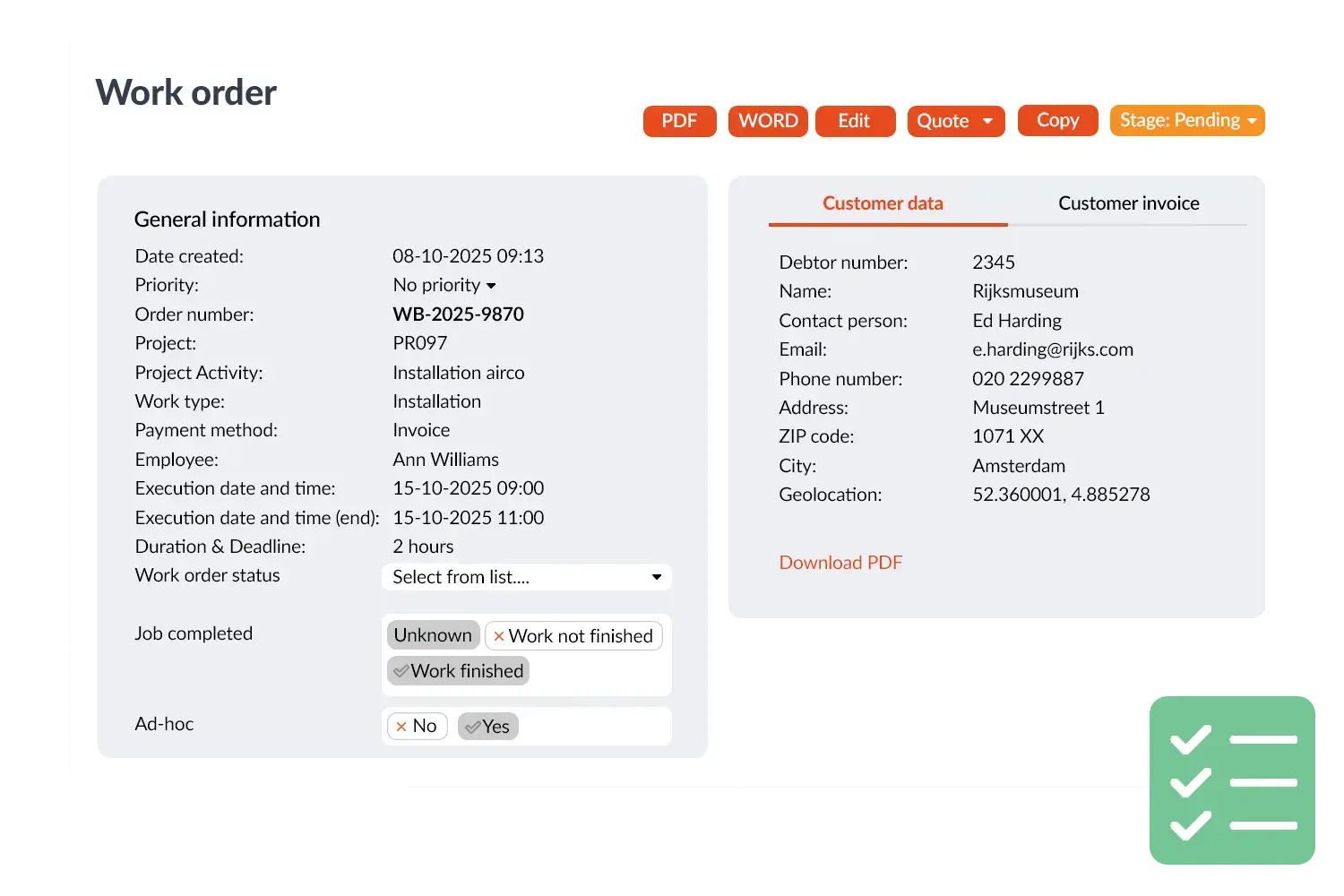
Work order with documentation
 

Practical example

A service company links the manual of a coffee machine to the object in OutSmart. When a malfunction is reported, the technician can open the correct manual directly in the app and solve the problem without extra phone calls to the office.

Benefits
  • Always the right documents available with work orders and projects
  • No more loose papers, everything stored centrally digital
  • More efficient work and less chance of errors
  • Professional appearance to the customer
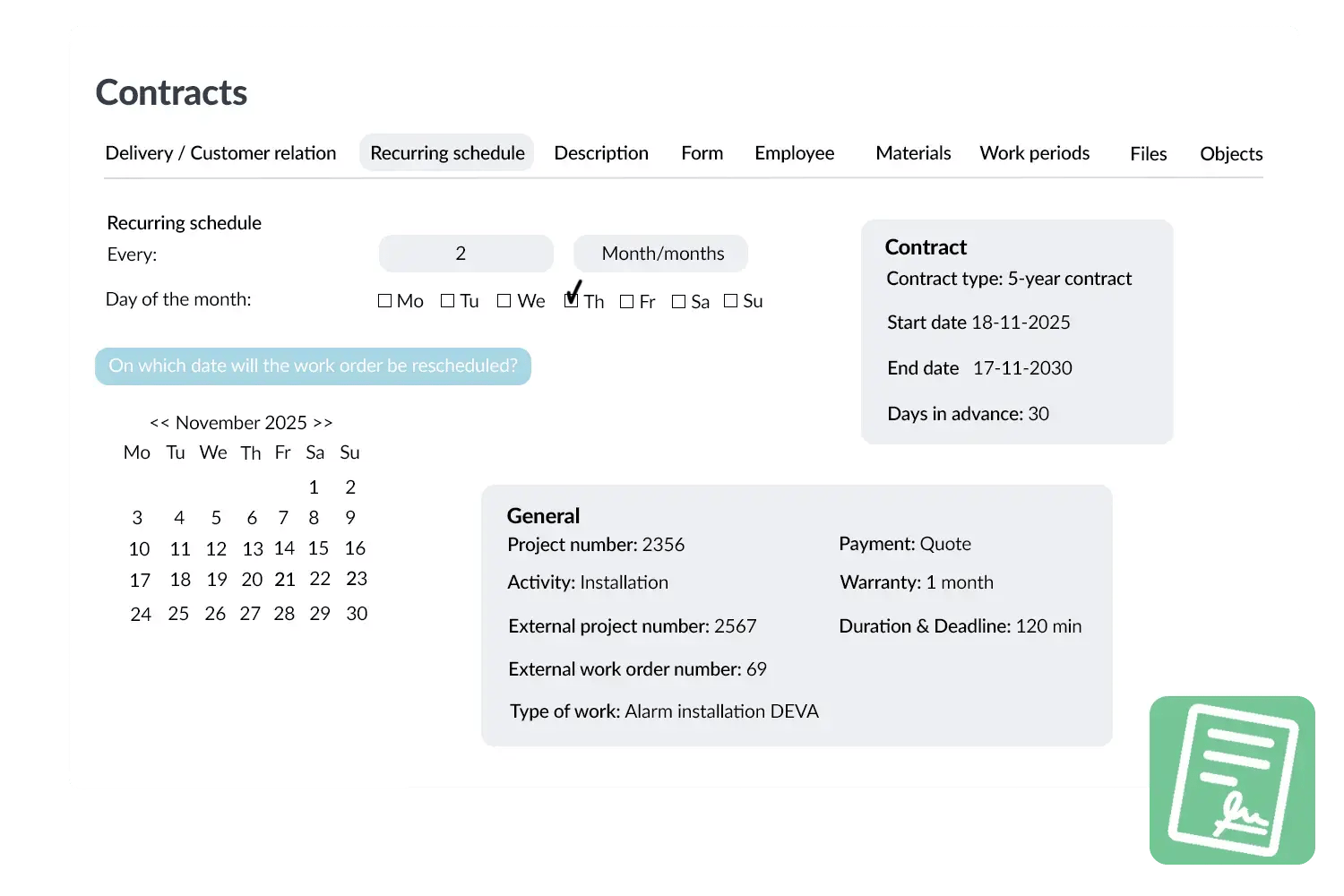
Contracts visual
3232784

Work orders per year

5172

Customers trust OutSmart

14
+

Years of experience

We constantly had to create work orders manually with pen and paper. By providing a clear digital system with many options, along with an excellent helpdesk that assists with everything, even the smallest questions, OutSmart has helped us.

Thomas Loos, Display4all

We used to lose work orders now and then, which made tracking time a challenge. With the easy digital entry of work orders, it's much simpler for the technician to manage the administration. Having 100% accurate work orders has definitely cut our administrative time in half.

Pascal Hanenbergh, Hanenberg Techniek


Frequently asked questions about OutSmart Document Management

Field service document management stores all job-related files — inspection reports, certificates, manuals, contracts, and photos — linked directly to the relevant customer, asset, or work order. OutSmart Document Management replaces scattered email attachments and shared drives with a single searchable archive accessible to both office staff and field technicians.

OutSmart stores any file type: PDF inspection reports, signed work orders, installation certificates, compliance documents, product manuals, warranty records, photos, and customer contracts. Documents are attached to the relevant customer, location, asset, or work order for fast retrieval.

Yes. Technicians can open any document attached to their job or the relevant asset directly from the OutSmart mobile app — before they arrive, while on-site, or in the van. No need to call the office or carry paper files.

Yes. Completed inspection reports, signed work orders, and certificates can be made available to clients in the OutSmart Customer Portal as soon as the job closes. Clients download them at their convenience — no manual email or postal delivery required.

When a new version of a document is uploaded, it replaces the previous version and is flagged as current. Older versions are archived and accessible if needed. This ensures technicians and clients always work from the latest revision without confusion about which file is correct.

Yes. The document archive in OutSmart is fully searchable by customer name, asset, location, document type, upload date, and custom tags. Finding a specific inspection report or certificate takes seconds — even years after it was filed.

Yes. All certificates, inspection records, and compliance documents are stored centrally and linked to the relevant asset or contract. During an audit, you can generate a complete compliance overview for any customer or asset in seconds — without manual document gathering.

Try OutSmart completely free for 14 days!