


Dashboards

Your company at a glance.

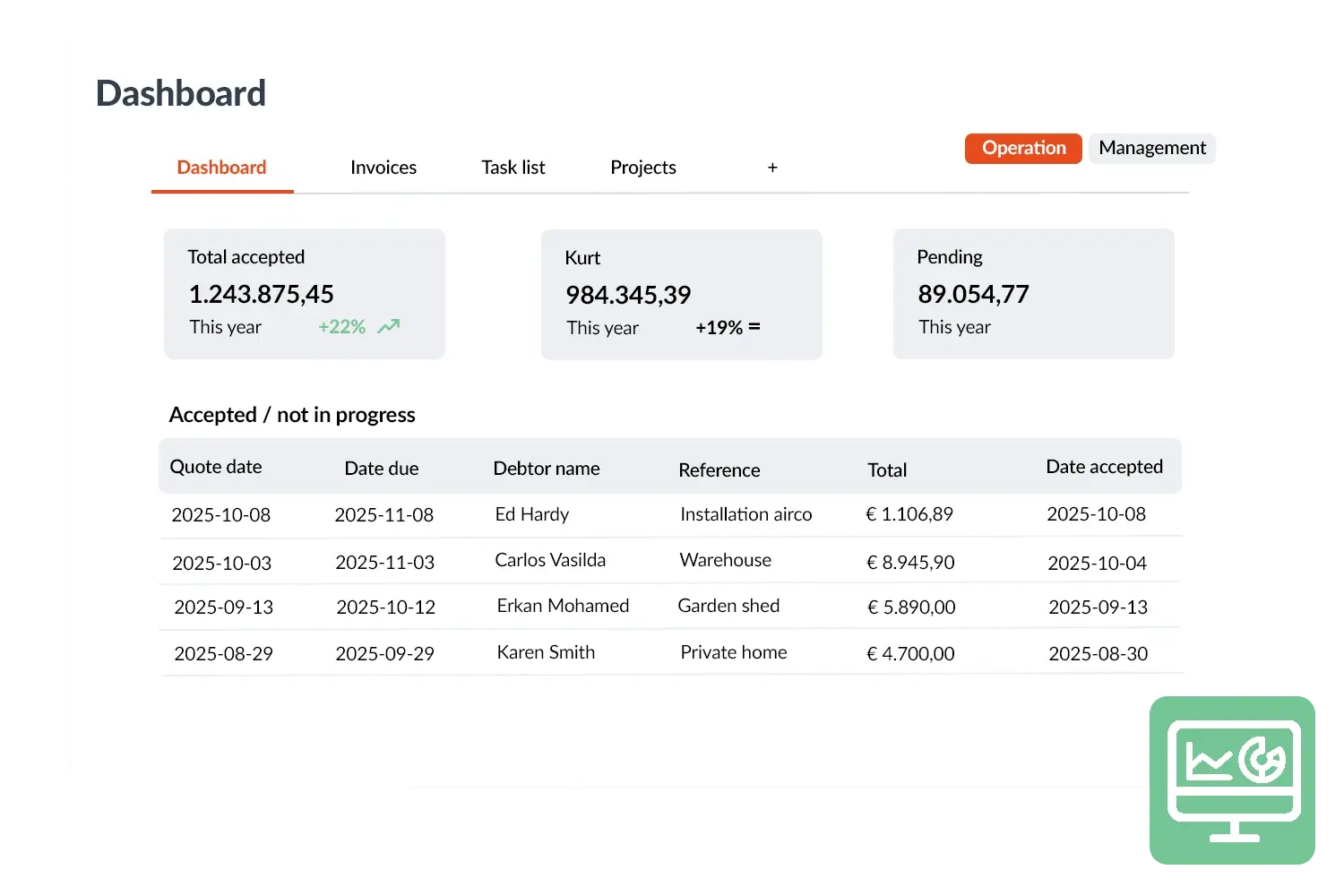
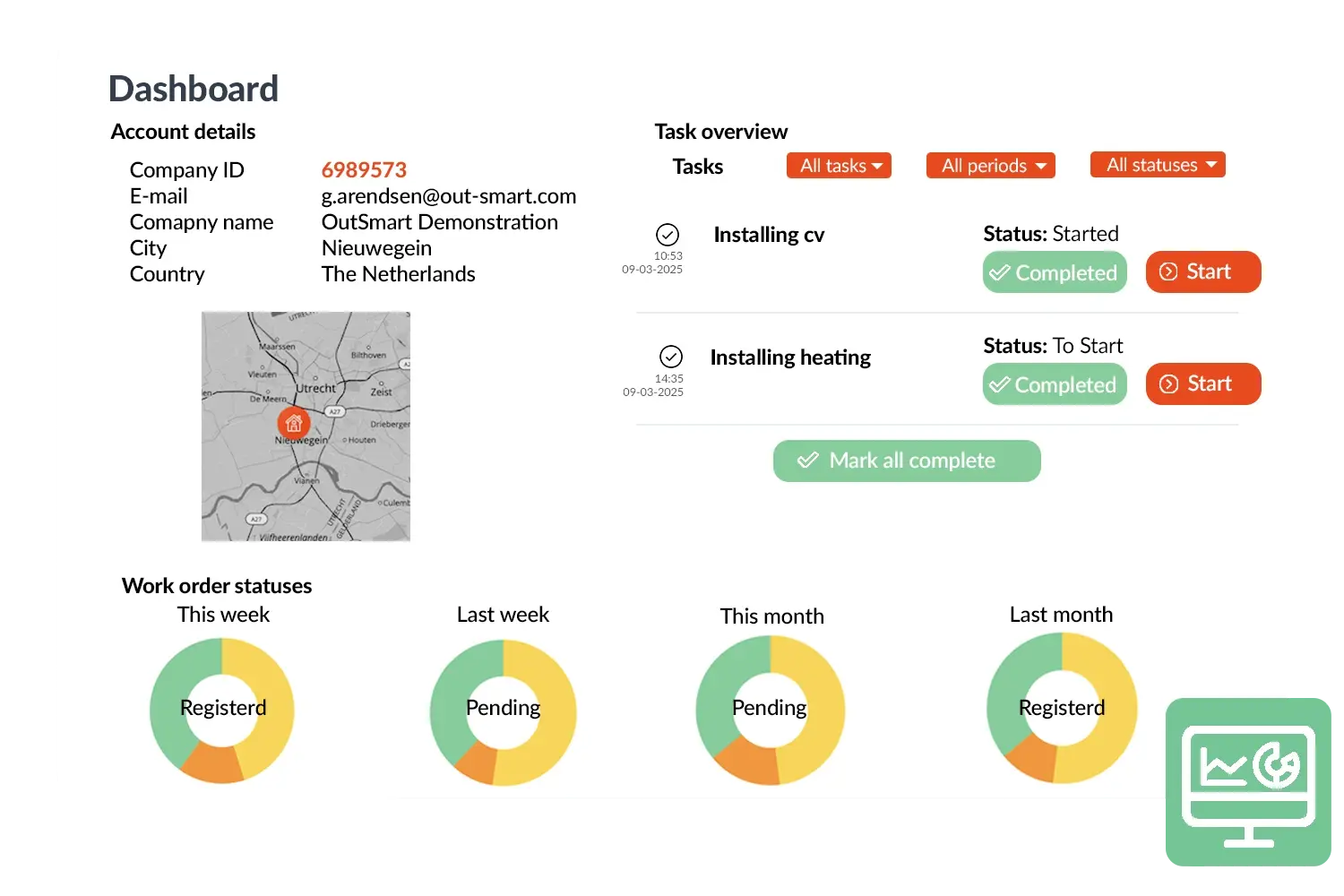
With Dashboards in OutSmart you always have control over what is happening in your organisation. Outstanding work orders, current quotations, turnover or performance per employee: everything comes together clearly in one screen. You decide which information is important and how you present it – in graphs, tables or tiles.

5_stars    Over 20.000 happy daily users
Alexandra Dashboard
 

Smart insights with dashboards

The dashboard functions as the start page of your OutSmart environment and provides immediate insight into the current situation. This way you can see at a glance where the priorities lie and make faster and better decisions. It saves time, reduces miscommunication and ensures that everyone on the team works with the same information.

Whether you are a planner keeping an eye on outstanding work orders or a manager who wants to monitor turnover and productivity: with Dashboards you have real‑time insight and steer on the figures that really matter. This increases your grip on processes and ensures that work flows smoothly.
Dasboard visual 2

OutSmart Dashboards is real-time reporting software for field service managers. It displays live KPIs — technician utilisation, job completion rates, open work orders, revenue per period, and SLA compliance — in configurable dashboards that update automatically, without manual exports or spreadsheet consolidation.

Manual reporting vs. OutSmart Dashboards

Step Without OutSmart With OutSmart
Data collection Export from multiple systems, merge manually in Excel All operational data in one place — dashboard updates in real time
KPI visibility Available days after the period ends Live KPIs visible at any moment, for any time range
Technician overview Estimated from memory or weekly reports Per-technician utilisation, jobs completed, and travel time — live
SLA compliance Calculated in a spreadsheet after the fact Live SLA compliance rate per customer and contract type
Revenue tracking Monthly, from accounting exports Revenue per job type, customer, or team — updated daily
Decision speed Management acts on last month's data Act on today's data — spot issues before they become problems
 

Practical example

An installation company can see at a glance how many work orders still need to be scheduled, which quotations are open and which technicians are performing above target.

Benefits
  • Real‑time insight – always the latest figures ready
  • Fully customisable – assemble your dashboard the way you want
  • Faster decisions – all data clearly together
  • More control – immediately see what needs attention
Dasboard-3
3232784

Work orders per year

5172

Customers trust OutSmart

14
+

Years of experience

We constantly had to create work orders manually with pen and paper. By providing a clear digital system with many options, along with an excellent helpdesk that assists with everything, even the smallest questions, Outsmart has helped us.

Thomas Loos, Display4all

We used to lose work orders now and then, which made tracking time a challenge. With the easy digital entry of work orders, it's much simpler for the technician to manage the administration. Having 100% accurate work orders has definitely cut our administrative time in half.

Pascal Hanenbergh, Hanenberg Techniek


Frequently asked questions about OutSmart Dashboards

OutSmart Dashboards display real-time operational KPIs including technician utilisation, jobs planned vs. completed, open work orders by age and priority, SLA compliance rates, average job duration, revenue per period, and customer satisfaction scores — all updated live from your team's activity.

Yes. Dashboards in OutSmart are configurable — you choose which KPIs to display, in which layout, and with which filters. Managers can set up different dashboards for different roles: a dispatcher view, an account manager view, or an executive summary.

Dashboards update in real time as jobs are created, assigned, completed, and invoiced. There is no scheduled refresh or manual export needed — the numbers you see reflect the current state of your operations.

Yes. Most dashboard tiles support filtering by date range, technician, team, region, job type, customer, or contract. This lets managers drill down into specific areas without switching to a separate report.

Yes. Dashboards can be shared with specific users or roles in OutSmart. You can also schedule automated email reports that send a dashboard snapshot to stakeholders at a configured interval — daily, weekly, or monthly.

Yes. OutSmart has a native Power BI integration that sends operational data to Microsoft Power BI for custom analysis and cross-system reporting. This is useful for companies that want to combine OutSmart data with financial or HR data in a unified BI environment.

Dashboards are available from the standard OutSmart plan. The number of configurable tiles and access to advanced filters may vary by plan. Ask the OutSmart team during your demo to see which dashboard capabilities are available for your team size and use case.

Try OutSmart completely free for 14 days!