OutSmart is user-friendly, complete and just easy to use. For us it’s the tool I’d recommend to any organization.
Kimberley, Oostendorp Nederland

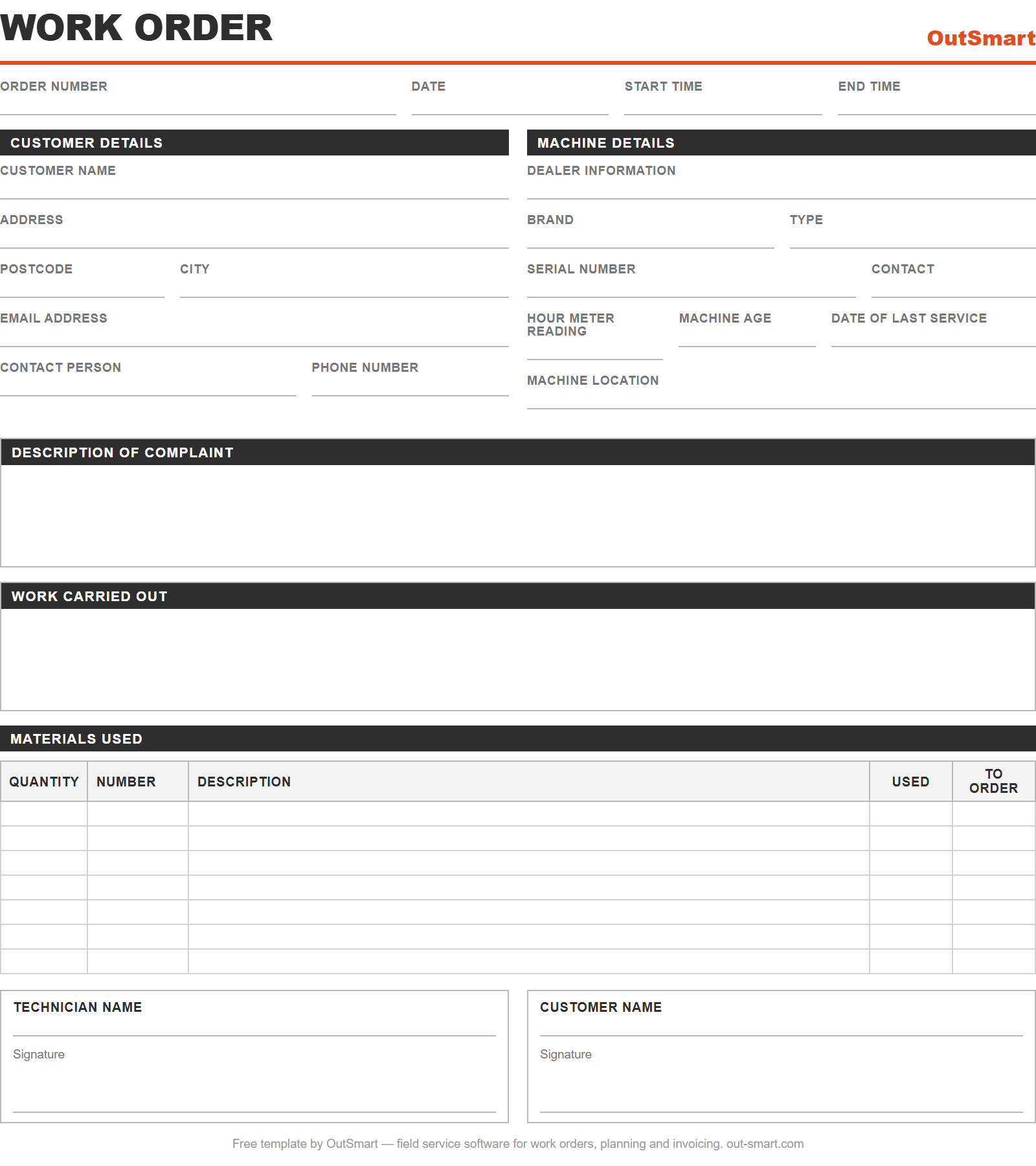
Customer details, machine details, description of the fault, work carried out, materials used and two signatures — all on one sheet.
Three formats in one download: Excel to fill in digitally, Word to match your own branding, PDF to print for the van.
How it works: download the template, add your logo and your own fields, and hand it to the engineer. One sheet covers the order number, times, customer details, machine details, the fault, the work carried out, materials and both signatures.
What you get:
The template takes care of the structure. The retyping stays: someone still has to bring the sheet back to the office and copy it into an invoice. That is where software goes further — in OutSmart the engineer completes the work order in the app, with photos and a signature, and an approved order becomes an invoice in one click. Create a free trial account and try it for 14 days, no credit card needed.
Fill in the form at the top of this page and download the template straight away.
Work orders per year
Companies that trust OutSmart
Years of experience
OutSmart is user-friendly, complete and just easy to use. For us it’s the tool I’d recommend to any organization.
Kimberley, Oostendorp Nederland

OutSmart is very professional and indispensable in our business processes. All our processes now run much more efficiently.
Twan van Horssen, Mobility Installations
Three formats at once: Excel (.xlsx) to fill in digitally, Word (.docx) to adapt to your company, and PDF to print for the service van. All three download links appear on this page as soon as you submit the form, so you do not have to wait for an email.
At the top: order number, date, start time and end time. Then customer details (name, address, postcode and city, email address, contact person and phone number) and machine details (dealer information, brand, type, serial number, hour meter reading, machine age, date of last service and machine location). After that there is space for the description of the complaint and the work carried out, a materials table with quantity, number, description, used and to order, and signature fields for the engineer and the customer.
Yes. The Word and Excel versions are fully editable: add your own logo, rename fields, add rows or remove sections you do not need. The template is deliberately industry-neutral, so it works for maintenance, installation, repair and service work.
Yes. You only give your email address; the other fields are optional. No credit card or payment details are needed. The OutSmart trial that follows is also free for 14 days and ends automatically.
With a handful of jobs a week, paper works fine, and this template makes it far more structured. It starts to hurt when sheets go missing on the road, when nobody knows which job has not been invoiced yet, when photos and signatures are missing, or when someone has to retype everything in the evening. That is the point to move to an app.
On paper: by retyping it. In OutSmart the engineer completes the order in the app, including hours, materials, photos and the customer signature. The office checks it and turns it into an invoice in one click, which goes straight into your accounting package through the integration.