Does the template work in Excel and in Google Sheets? +
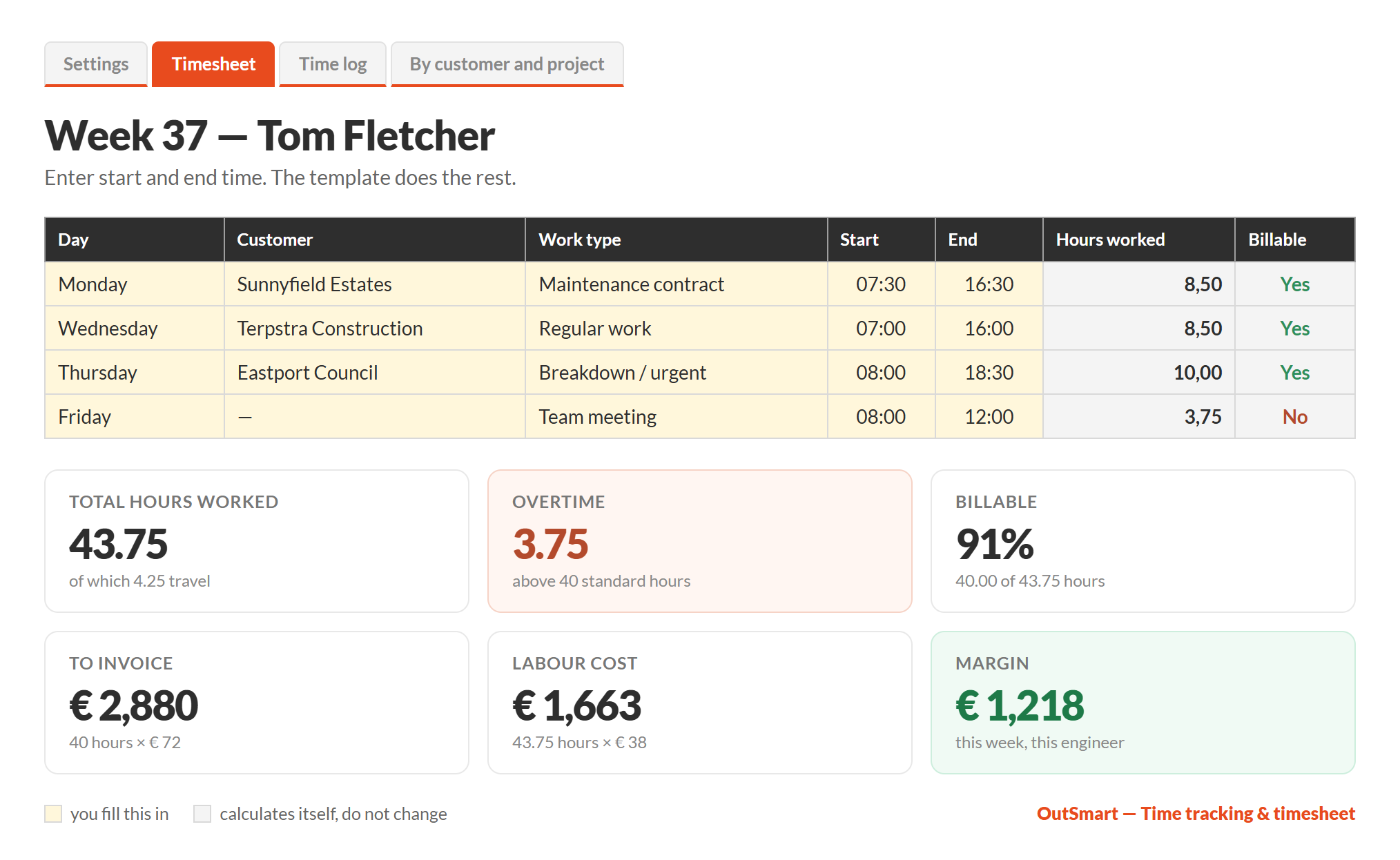
Yes. It is an ordinary .xlsx spreadsheet and works without changes in Excel, Google Sheets, LibreOffice and Numbers. The formula cells are protected so you cannot overwrite them by accident; the cells you fill in yourself are marked yellow. No password is set, so you can change anything.
What is in the template? +
Seven tabs: an instruction sheet, Settings (employees, rates, customers, work types, standard hours), a printable weekly timesheet per engineer, a time log for 20 employees and 500 hour lines, an overview by customer and project, an overview by employee, and a fully completed example week.
Does the template calculate overtime and travel hours automatically? +
Yes. You enter start time, end time and the break; the template calculates the hours worked. Overtime follows from the standard hours per week that you set yourself, travel hours are entered per line, and kilometres are calculated with your own mileage rate. Travel time can be billed at a different percentage of the hourly rate.
Can I recharge hours per customer or project? +
Yes. Every hour line is linked to a customer and a project. The By customer and project tab shows, per customer and per project, the hours worked, the billable hours, the amount to invoice, your labour cost and the margin left over.
How do I see how many of my hours are billable? +
Every work type gets a billable or non-billable status in Settings. Team meetings, training, warranty work and leave are set to non-billable. The timesheet and the overview per employee then produce a billable percentage automatically.
Can I keep my time records in a spreadsheet? +
In most countries yes — what differs is how much detail is required. In the UK, regulation 9 of the Working Time Regulations 1998 requires records that are adequate to show compliance with the 48-hour average working week and the night work rules, and prescribes no format or system, so a spreadsheet qualifies. Ireland allows electronic or paper records as well. Several European countries expect more granularity: a start time, an end time and breaks per employee per day rather than a daily total. This template records all three, so it holds up under the stricter reading too. Check what applies in the country where you operate.
How long should I keep timesheets? +
That depends on where you operate, and the periods differ widely: Ireland requires three years for working time records, while other countries tie timesheets to their tax retention rules, which run considerably longer. Because timesheets usually also underpin payroll and invoices, keep one file per year and never overwrite an old week with a new one. Check your own country’s rule rather than assuming a single number.
What mileage rate does the template use? +
It defaults to 0.30 euro per kilometre, which is an editable default on the Settings tab rather than a legal figure — set it to the rate that applies where you operate. In the UK, for example, HMRC’s approved mileage allowance payment for cars and vans is 55p per mile for the first 10,000 business miles and 25p per mile above that.
What does the template cost and do I need a credit card? +
The template is free and you do not need a credit card or any payment details. You enter your email address and the download appears straight away. The OutSmart trial that follows is also free for 14 days and ends automatically.
When is Excel no longer enough for time tracking? +
With a handful of engineers and one weekly processing round, a spreadsheet works fine. It gets difficult when several people need to enter hours at the same time, when hours are retyped from paper or WhatsApp, when sheets go missing, or when you only notice weeks later that hours were never invoiced. That is the point to move to entering hours in an app at the job.




 The same hours logic used daily by 5,172 OutSmart customers