Workforce planning software for field service teams
Schedule technicians by availability, skills and location, and send every job straight to their app.
OutSmart plans jobs, not shifts. You drag work orders onto the right technician on the digital planning board, the technician sees the job in the app, and once the work is done the work order flows on to the invoice. The planning board is included from the Boost package.
Still planning in Excel? That’s possible, but the larger your team, the harder it becomes to stay organized. Our solution keeps your schedule up-to-date and accurate, giving you more time to focus on what truly matters.

What is workforce planning in field service?
Workforce planning is assigning jobs to your staff based on availability, skills and capacity, so every job is done on time by the right person. Workforce planning software does this in one digital overview instead of separate calendars, spreadsheets or WhatsApp.
In OutSmart you drag jobs to the right employee on the digital planning board, in day, week or month view. You see at a glance who is available, and the technician gets a push notification in the app as soon as something changes.
- An active technician handles a median of 24 work orders per month.
- From scheduled to completed takes a median of 2.9 days.
- A work order represents a median of 2.25 hours of work.
Figures: OutSmart Field Service Benchmark 2026 (usage data from 2,210 OutSmart accounts, medians, June 2026). Last updated: October 2026
How to create a workforce plan for your field team in 5 steps
Workforce planning for field service is not about shifts but about jobs: which technician goes to which address, when, and with the right skills. This is how to set it up.
- Put all the work in one place
Collect every open job as a work order with customer, address, description and preferred date. In OutSmart, work orders that have not been scheduled yet sit in a separate list below the planning board, so nothing slips through the cracks. - Record availability and absence
Set working days and hours for each technician, and add leave, training or sick days as a note on the planning board. OutSmart then shows for each day who is available and who is not. - Match skills to the work
Record who has which skills. In OutSmart you link a skill to a type of work, and only technicians with that skill can be selected for it. Certificates with expiry dates are managed with the paid Certificates Power-Up. - Schedule the jobs on the planning board
Drag work orders to the right technician and time slot in day, week, month or timeline view. When a crew goes to one job, assign several technicians to the same work order. - Send the schedule to the app and adjust
Scheduled jobs appear in the technician's app straight away, with customer details and address. When an urgent job comes in, you move work on the board and the technician sees the change immediately. Once the job is done, hours and materials return to the office on the work order, ready for invoicing.
The digital planning board is available from the Boost package.
Discover digital Workforce Planning software
Here’s a benefits overview of using digital personnel software:
How do you prefer to plan? By employee, by day, or by client? With OutSmart, you decide how to schedule. All the information you need is available in the digital planning board. Your team members can always view the latest schedule via the app.
Get better control, flexibility, and insight into your schedule. Automate tasks and adapt quickly to changes, so you stay efficient and never waste time.
Easily and accurately track hours. Save time and avoid errors with automated calculations and clear reporting.
Keep track of tasks efficiently and ensure nothing falls through the cracks. Distribute work among your team and monitor progress in one clear overview. Tasks is a paid Power-Up, available from the Boost package.
Streamline your time tracking for quick and accurate processing. Save time and increase transparency in your hours administration.
Your field staff can work both online and offline. Work orders are saved and immediately forwarded upon connection, so the office can handle administration and invoicing right away.
Simplify collaboration and gain full control with Timesheets
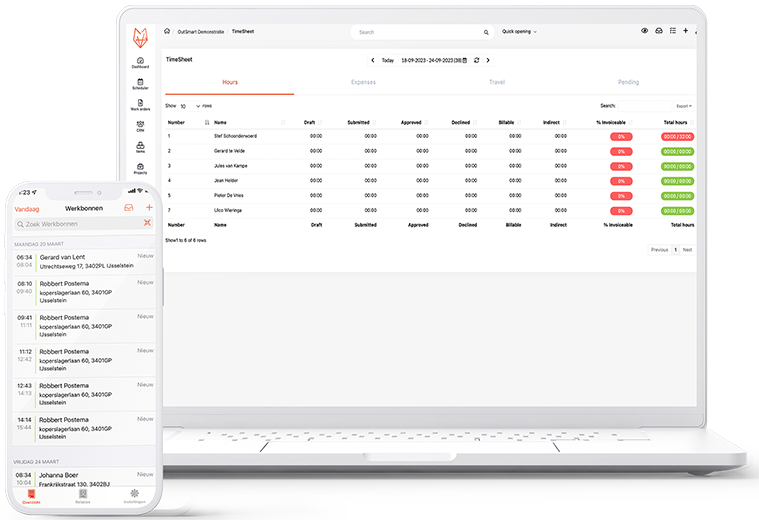
Managing time registration doesn’t have to be a hassle. With our Timesheets license, collaborating with contractors and partners becomes effortless. They can quickly log both direct and indirect work hours, seamlessly aligned with your workflow. The built-in approval process keeps you in control while ensuring smooth and organized administration.
No more scattered notes or clumsy spreadsheets—just clear, automated time tracking that saves you time and improves collaboration. Whether for large projects or daily tasks, Timesheets provide instant insight into registered hours, helping you manage time efficiently.
Why choose our Timesheets?
- Automate hour logging and approvals — no more chasing timesheets
- See logged hours in real time
- Built for teams working out in the field
- Catch errors and forgotten hours before payroll
With one tool, you can track hours, trips, and expenses—all in one place. Stay in control, simplify your administration, and focus on what really matters.
Timesheets is a paid Power-Up, available from the Boost package.
Stay in control of your workflow with our task module
Take control and work smarter. Our task module lets you assign tasks effortlessly, track progress in real time, and ensure deadlines are met. No more confusion about responsibilities or unclear priorities—everything stays organized and on track.
In one overview, you can see assigned tasks, their status, and upcoming deadlines. This increases your team’s focus, reduces stress, and ensures smoother collaboration.
Why choose our task module?
- Work efficiently: Clearly assign tasks and set priorities immediately.
- Real-time insights: Track progress and deadlines effortlessly.
- Better collaboration: Keep everyone aligned and avoid miscommunication.
With our task module, you’re fully in control and can lead your team to the successful completion of every project.
The task module (Tasks) is a paid Power-Up, available from the Boost package.
Don't have a free trial account yet?
Create a free trial account today and discover all the features and benefits of OutSmart!
Create quotes at lightning speed
With OutSmart, you can create quotes quickly and in line with your branding. Clients can sign online and receive automatic reminders if necessary. Once approved, you can instantly convert the quote into a work order or invoice, ready for action. This saves time and keeps everything simple.
Quotes are included from the Accelerate package and available as an add-on in Boost.
Invoicing in an instant
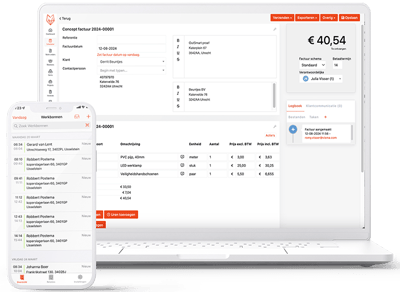
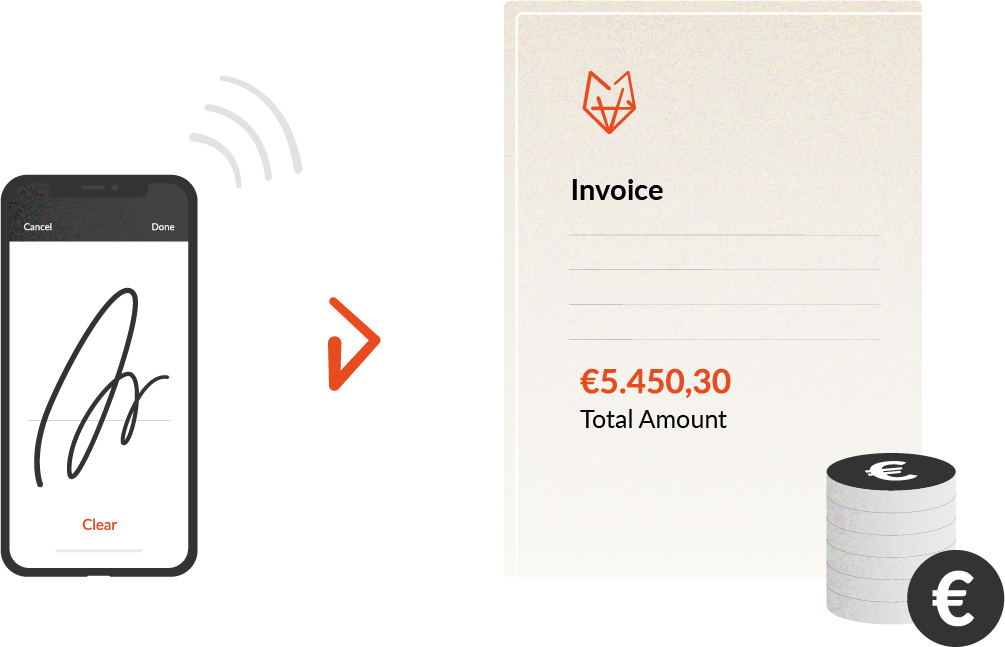
With OutSmart, you can convert work orders and quotes into digital invoices as soon as the client approves them. With the Mollie Power-Up, clients can pay online through a payment link on the invoice. And if a payment is delayed? OutSmart sends an automatic payment reminder. Invoicing is included from the Boost package.
Seamless integration with your existing software
Attached to your accounting software or reliant on TrackJack? Good news: OutSmart offers 30+ ready-to-use integrations with accounting systems, ERPs, and CRMs. Integrations are paid Power-Ups, available from the Boost package. Is your software not listed? Contact us, and we’ll explore the possibilities together.
Field service workforce planning or rostering software: which do you need?
Workforce planning often brings shift rosters to mind. Scheduling technicians on jobs at customer sites is a different task. The difference, aspect by aspect:
| Aspect | Field service workforce planning (OutSmart) | Rostering software |
| What you plan | Jobs (work orders) at customer sites | Shifts at a fixed location |
| Planning is based on | Availability, skills and the job address | Opening hours, staffing levels and contract hours |
| What the employee receives | The job in the app: customer, address and job description | Their roster: when they are due to work |
| After the work | A work order with hours, materials and the customer's signature | Hours worked, usually as input for payroll |
| From work to revenue | The work order becomes the invoice (invoicing from Boost) | No customer invoice; the focus is on hours and pay |
| Typical users | Installation, maintenance and service companies with technicians on the road | Retail, hospitality and care with changing shifts |
If your team works shifts at one location, rostering software is the better fit. If your technicians travel to customers and you want to go from schedule to work order to invoice without retyping, you need field service workforce planning. That is what OutSmart is built for: planning board, app, work order and invoice in one system.
Which package includes workforce planning?
Workforce planning in OutSmart runs on the digital planning board, which is included from the Boost package.
| Package | Price per year | Planning board |
| Launch | €180, 1 user | No |
| Boost | €448, 2 users included (additional user €224) | Yes |
| Accelerate | €1,710, 5 users included | Yes, plus contracts & SLA for recurring maintenance (add-on in Boost) |
| Maximize | €2,300, 5 users included | Yes, plus project planning |
Paid Power-Ups, not included in any package and not available in Launch: Timesheets with an approval flow, PlanSmart route optimization and accounting integrations.
Everything about scheduling in OutSmart
Read more about the parts of your workforce plan:
- Planning board — drag jobs onto technicians by availability and skills (from Boost)
- Ad hoc planning — fit breakdowns and urgent jobs into the day
- Timesheets — approve and export hours (paid Power-Up, from Boost)
- PlanSmart route planning — optimize job order and routes (paid Power-Up, from Boost)
- Contracts & SLA — turn recurring maintenance into work orders automatically (from Accelerate, add-on in Boost)
- Pricing — planning board from Boost: €448 per year, 2 users included
Curious about OutSmart?
We could tell you all about what OutSmart can do and why it’s special. But our customers can explain it even better:
OutSmart is the perfect software for both planning and fieldwork. We’ve fully integrated our branding and preferences and have been using it for almost a year as a complement to our CRM system. The seamless integration allows us to quickly schedule and adjust appointments via the planning board. The field team uses the app, knows exactly what to do, checks off checklists, and gets the work order signed by the client. We’ve also improved communication with our end customers using OutSmart.
I have complete control over the schedule and visibility into all upcoming work. As soon as a job comes in, we add it to the fixed schedule or the planning board. The work order is accurately filled in with delivered materials. Our goal to go paperless from quote to finished invoice has been made possible by OutSmart.
OutSmart is the ideal software package for managing work orders and tracking our projects. It’s very user-friendly, and the integration with our accounting package is fantastic. Previously, we used multiple software solutions, but now everything is in one.
Frequently asked questions
What is personnel scheduling?
What is personnel scheduling software?
Why is personnel scheduling important?
How is field service workforce planning different from rostering software?
Can I see which technicians are available?
How do I account for leave and absence?
Can I schedule several technicians or a crew on one job?
How do I fit breakdowns and urgent jobs into the schedule?
Can recurring maintenance be scheduled automatically?
How is overtime recorded?
Can I move my Excel schedule over to OutSmart?
How much does workforce planning cost with OutSmart?
Try OutSmart for free – See if we match your needs
Curious about OutSmart and ready to experience the benefits for yourself? Create a free trial account today or request an online demo. During the demo, you’ll get a guided tour of the platform and discover all its features in action.