




OutSmart NEXT: OutSmart's newest Android app

More overview and more ways to register for your Android field team

OutSmart NEXT is the newest generation Android app for field employees. Besides work orders, materials and photos, you also register travel time and breaks, and use the separate Timesheets module for hours not tied to a specific job.

All changes sync automatically with the BackOffice, so the office always works with up-to-date data.

5_stars    Over 20.000 happy daily users
OutSmart NEXT Android App

OutSmart NEXT is the newest generation Android app from OutSmart for field employees. Besides work orders, materials and photos, employees also register travel time and breaks, and use the separate Timesheets module for hours not tied to a specific job. The app is free to download from Google Play.

With or without OutSmart NEXT

Here's how a day in the field changes when your team works with OutSmart NEXT instead of paper or phone calls.

StepWithout OutSmart NEXTWith OutSmart NEXT
Receiving a work orderPhone call or noteAppears directly after syncing, with all customer data
Travel time and breaksManually tracked or estimated afterwardsRegistered separately within the same work order
Hours not tied to a work orderNote or message to the officeRegistered through the Timesheets module
Materials and itemsReceipts kept and retyped laterRecorded directly on the work order
Completing a work orderPaper form, risk of getting lostFully digital, completed and submitted
Trying new featuresWaiting for the next software updateEarly access to new OutSmart NEXT features
 

One Android app, every core module

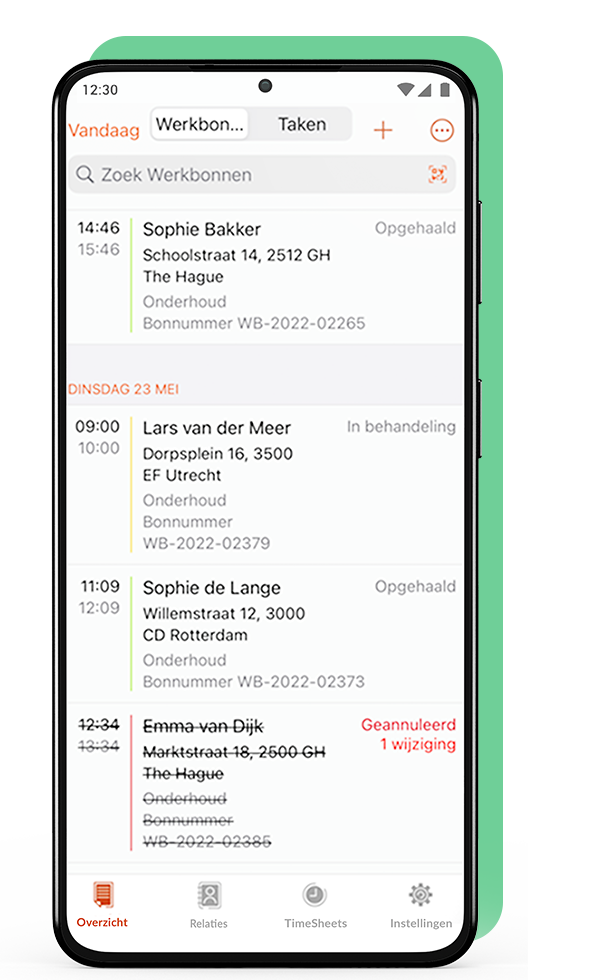
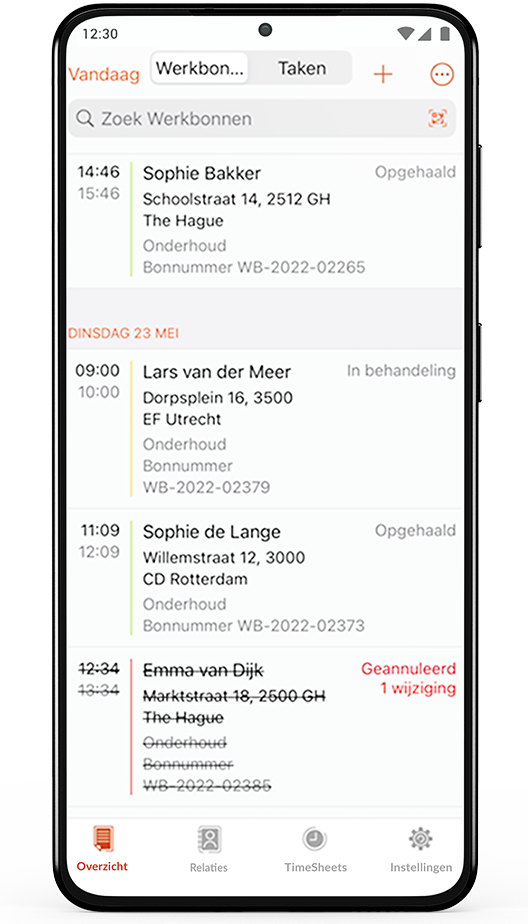
OutSmart NEXT brings Overview, Work Order, Settings and Timesheets together in one Android app. Employees see their schedule immediately, open a work order with all customer and object details, and register time, travel and breaks without switching screens.

Visible options depend on permissions, company setup and subscription plan — keeping the app clear for every role.

OutSmart NEXT Android app work order overview
 

From work order to completed job, including travel and breaks

Technicians create and view work orders, register materials and items, track time, travel and breaks, upload photos and documents, and complete the work order — all in OutSmart NEXT.

Core functionalities
  • Creating and viewing work orders
  • Adding and managing materials and items
  • Tracking time, travel and breaks
  • Uploading photos, documents and other attachments
  • Completing and submitting the work order to the BackOffice
  • Registering separate hours through Timesheets
Completing a work order in OutSmart NEXT on Android
3232784

Work orders per year

5172

Customers trust OutSmart

14
+

Years of experience

We constantly had to create work orders manually with pen and paper. By providing a clear digital system with many options, along with an excellent helpdesk that assists with everything, even the smallest questions, Outsmart has helped us.

Thomas Loos, Display4all

We used to lose work orders now and then, which made tracking time a challenge. With the easy digital entry of work orders, it's much simpler for the technician to manage the administration. Having 100% accurate work orders has definitely cut our administrative time in half.

Pascal Hanenbergh, Hanenberg Techniek


Frequently asked questions about OutSmart NEXT (Android)

OutSmart NEXT is OutSmart's newest generation Android app, with the same core functionality as the iOS app plus travel time, break and Timesheets registration.
Yes, besides hours worked on a work order, you also register travel time and breaks separately in OutSmart NEXT.
Timesheets is a separate module for registering hours that aren't linked to a specific work order.
Through early access, Android users can sometimes try new OutSmart NEXT features earlier.
Yes, free to download from Google Play, using your existing OutSmart subscription.
Yes, offline changes are sent once the app syncs again; some features such as the map need an active connection.
Core functionality is the same; OutSmart NEXT adds separate travel/break registration and the Timesheets module. See the iOS page for iOS-specific screens and naming.

Try OutSmart completely free for 14 days!