


Mail to work order

From email to work order without even one click.

The Mail to Workorder Power-Up automatically transforms incoming emails into work orders. Customers often send requests, fault reports or questions by email. Normally, you have to manually retype these into OutSmart, with all the risk of errors or delays. Thanks to this Power-Up, that process is fully automated.

5_stars    Over 20,000 happy daily users
alexandra-1

OutSmart Mail to Work Order automatically converts incoming customer emails into work orders. When a client sends a service request or fault report by email, OutSmart parses the message, creates a work order, links it to the correct customer record, and places it in the planning queue — without anyone having to read, copy, or re-enter the request manually.

Manual email handling vs. OutSmart Mail to Work Order

Topic Without OutSmart With OutSmart
Receiving requests Email read by office staff, manually entered as a job Email automatically converted to a work order on arrival
Response time Dependent on who reads email first — delays common Work order created instantly — no human delay in the loop
Data entry errors Typos, missing fields, wrong customer linked Customer matched automatically from email address — no manual input
Out-of-hours requests Sit in the inbox until someone starts work Converted immediately — in the queue when the team arrives
Email volume High volume overwhelms office staff during busy periods All requests processed consistently regardless of volume
Audit trail Original email and work order exist separately — hard to link Email and work order linked — full correspondence in one place
 

Fully automated work orders

You decide which information from an email ends up in the work order. For example, the sender is immediately recognized as the customer, and a subject line is automatically placed in the internal memo. Specific keywords, such as 'malfunction' or 'repair', can fill in the right description. This way, each email becomes a structured and complete work order.

By automating this process, no information is lost and you avoid duplicate entry. Your employees save time while customers are helped more quickly. In addition, this increases the quality of your administration: all data is immediately placed in the right place in OutSmart, without manual errors.

The result is a streamlined intake of work assignments. Whether a customer reports a failure via the website or an internal request arrives by email: everything is recorded consistently and clearly.
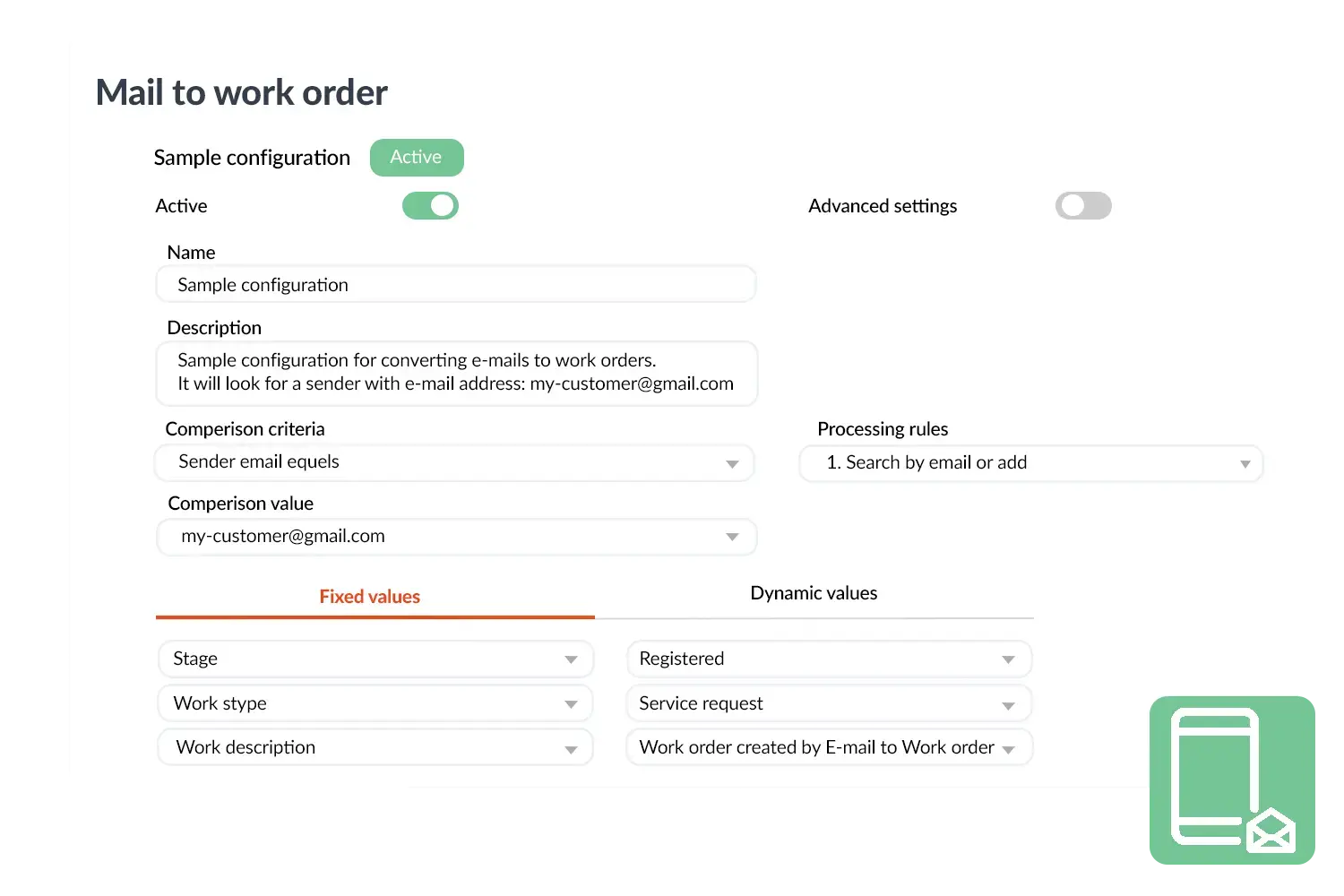
Mail to work order
 

A practical example

An installation company used to receive dozens of emails with malfunction reports every day. Previously, the back office copied them manually into OutSmart, which cost a lot of time and sometimes led to errors. With Mail to Workorder, these emails are now directly converted into work orders, complete with customer details and description. The company saves hours of work every day and customers are scheduled more quickly.

Benefits
  • Automatic conversion of emails into work orders.
  • Less manual work and fewer errors.
  • Faster processing of customer requests and faults.
  • Flexible to set up with your own rules and fields.
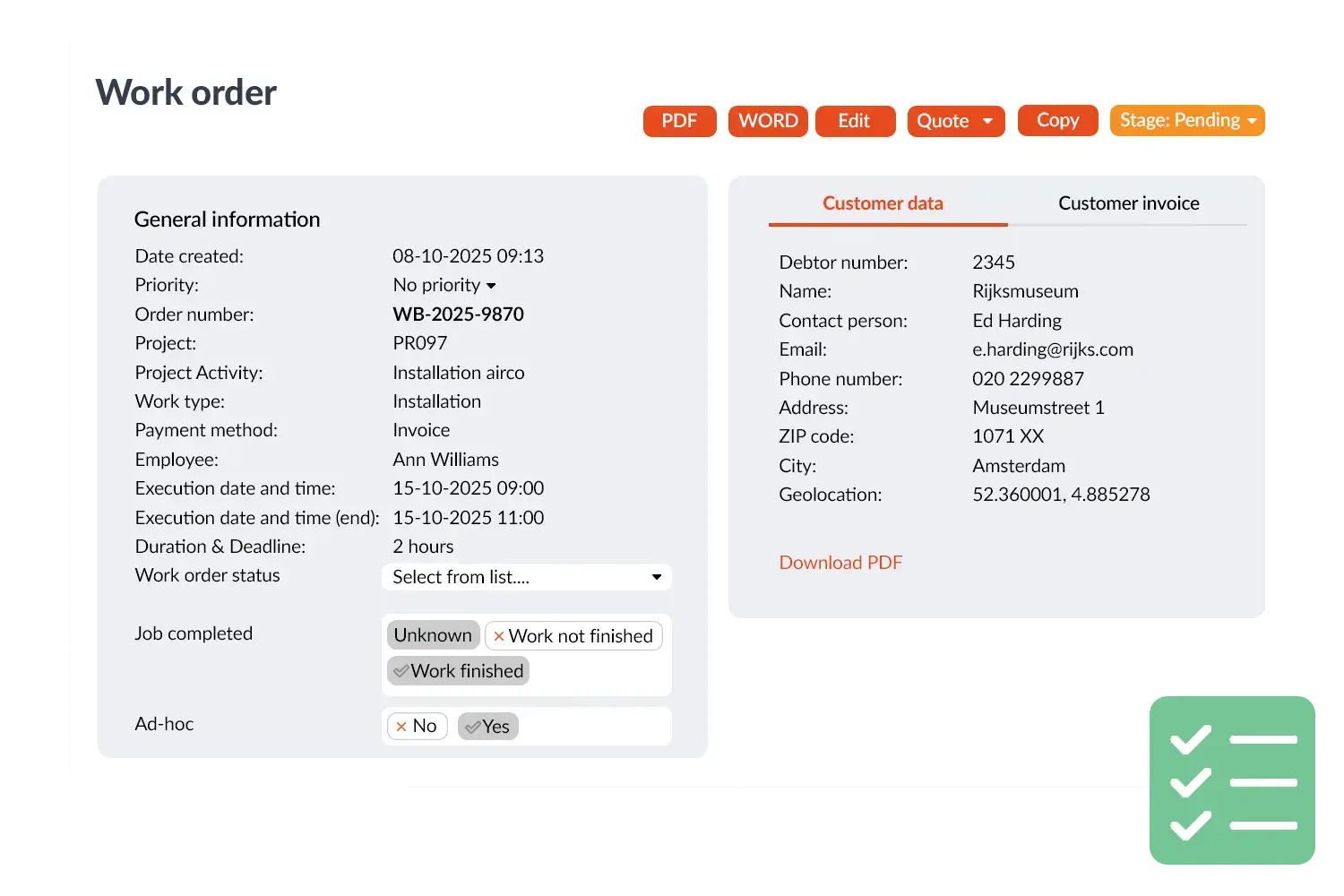
Work order visual
3232784

Work orders per year

5172

Customers trust OutSmart

14
+

Years of experience

We constantly had to create work orders manually with pen and paper. By providing a clear digital system with many options, along with an excellent helpdesk that assists with everything, even the smallest questions, Outsmart has helped us.

Thomas Loos, Display4all

We used to lose work orders now and then, which made tracking time a challenge. With the easy digital entry of work orders, it's much simpler for the technician to manage the administration. Having 100% accurate work orders has definitely cut our administrative time in half.

Pascal Hanenbergh, Hanenberg Techniek


Frequently asked questions about OutSmart Mail to Work Order

Mail to Work Order monitors a designated service inbox and automatically converts incoming emails into work orders in OutSmart. The customer is matched from the email address, a new work order is created with the email content as the job description, and it appears in the planning queue — with no manual data entry required.

You configure a dedicated service email address — for example, service@yourcompany.com — and connect it to OutSmart. All emails sent to that address are processed automatically. You can set filters to exclude auto-replies, marketing emails, or internal messages.

OutSmart matches the sender email address to the contact records in your CRM. If a match is found, the work order is linked to that customer and location automatically. If no match is found, the work order is created as an unlinked request for manual review.

Yes. You can configure Mail to Work Order to place new requests in a review queue where a dispatcher approves, edits, or rejects them before they enter the live planning board. Alternatively, requests can go directly to planning if you trust the incoming volume.

Yes. Emails are processed automatically regardless of the time of day. A client who sends a fault report at 11pm will have a work order waiting for your team when they start in the morning — no manual triage needed at the start of the day.

The original email is stored against the work order as a reference. If the client or your team needs to review the original message, it is accessible directly from the job record — keeping the full conversation in one place alongside the work history.

Yes. Photos, PDFs, and other attachments included in the client's email are stored with the work order automatically. Technicians can see photos of a fault or problem before they arrive on-site, saving diagnostic time and improving first-visit fix rates.

Try OutSmart completely free for 14 days!