


Inventory Management

Always control over your materials.

The Inventory Management Power-Up gives you full control over your warehouses, vans and materials. You register exactly which items are in stock and where they are located. As soon as an item is consumed in a work order, it is automatically deducted from the correct warehouse.

You can create multiple warehouses, for example per branch or service van. You also easily set minimum and reorder levels. When an item falls below the desired level, OutSmart can automatically generate a task to order more. This prevents your mechanics from running out of parts on site and keeps your service reliable.

5_stars    Over 20.000 happy daily users
Alexandra the inventory manager

OutSmart Inventory Management is stock control software for field service companies. It tracks parts, materials, and consumables across warehouses and technician vans in real time. Technicians register material usage directly from the field app, stock levels update automatically, and reorder alerts fire before a job is delayed because a part is missing.

Manual stock control vs. OutSmart Inventory Management

Topic Without OutSmart With OutSmart
Stock visibility Unknown until someone counts manually or a job stalls Live stock levels per warehouse and per van, updated in real time
Material usage Reported later from memory or paper — often incomplete Registered on the job in the app — accurate and immediate
Van inventory Technician manages from memory — office has no view Digital van stock per technician, visible to planners at all times
Reorder process Noticed when parts run out mid-job Automatic alert when stock falls below the configured minimum
Cost per job Materials missed or estimated on invoices Exact quantities and costs captured per job, invoiced automatically
Multi-location Separate lists per depot — no unified overview All warehouses and vans in one dashboard with transfer logging
 

With the right tools on the job

Due to the connection with work orders and the OutSmart app, inventory management is fully integrated into your daily workflow. Employees simply indicate in the app when they use materials, and then the stock is updated immediately. This makes the system reliable and always current.

With Inventory Management you save time, prevent double administration and ensure that projects run smoothly. You always know which materials are available and where they are, so you can plan and execute more efficiently.
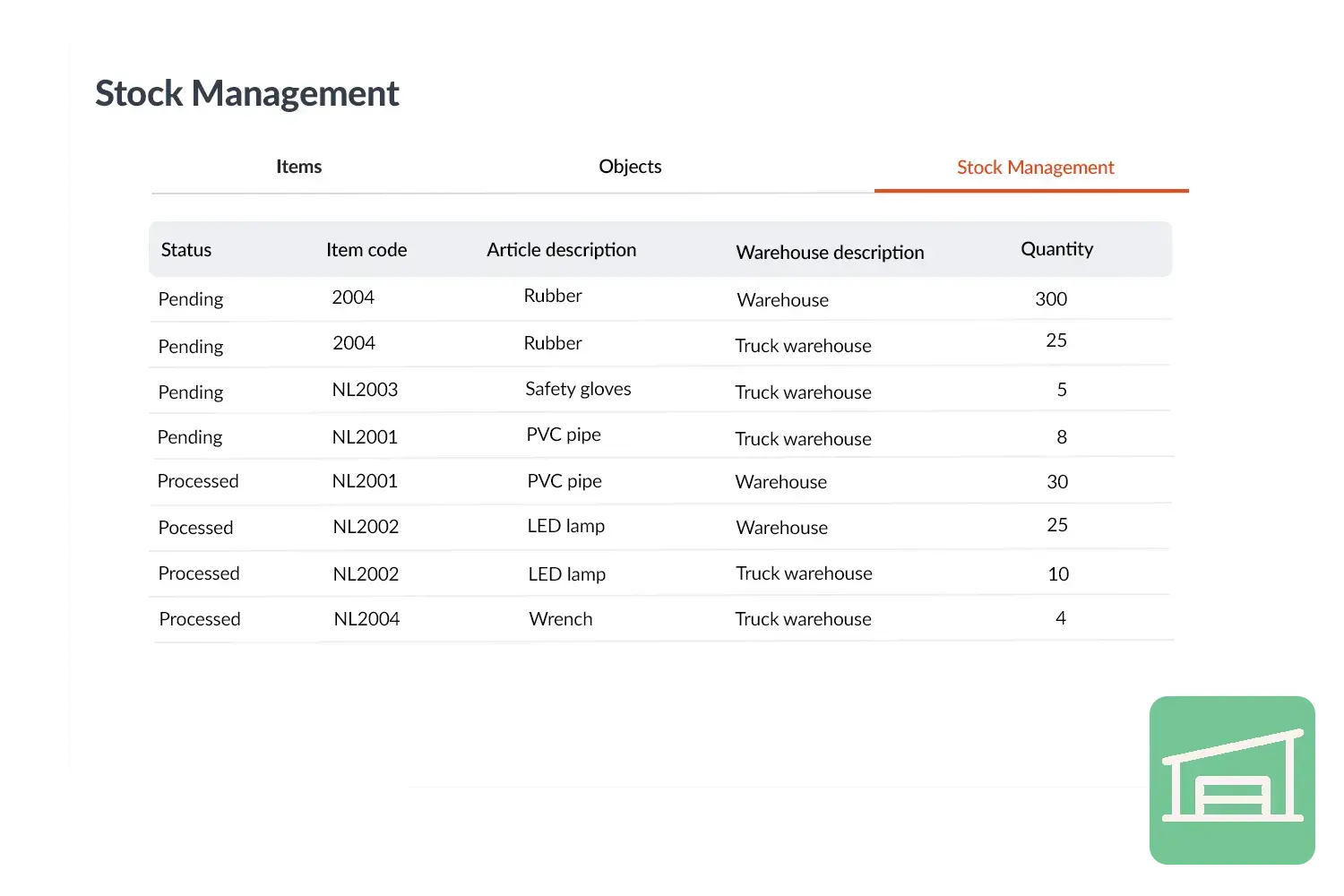
 

Voorraadbeheer visual
 

Practical example

An installation company with several service vans often had problems with missing parts. Since the introduction of Inventory Management, each van has its own digital warehouse. As soon as a mechanic uses material, it is automatically deducted. In addition, the warehouse manager automatically gets a task when the stock drops below the minimum. This prevents shortages and keeps projects on schedule.

Benefits
  • Always insight into current stock, per van or location.
  • Automatic deduction when materials are used.
  • Set minimum and reorder levels to prevent shortages.
  • Time savings and higher reliability in execution.

Voorraadbeheer visual
3232784

Work orders per year

5172

Customers trust OutSmart

14
+

Years of experience

We constantly had to create work orders manually with pen and paper. By providing a clear digital system with many options, along with an excellent helpdesk that assists with everything, even the smallest questions, Outsmart has helped us.

Thomas Loos, Display4all

We used to lose work orders now and then, which made tracking time a challenge. With the easy digital entry of work orders, it's much simpler for the technician to manage the administration. Having 100% accurate work orders has definitely cut our administrative time in half.

Pascal Hanenbergh, Hanenberg Techniek


Frequently asked questions about OutSmart Inventory Management

Inventory management software tracks parts, materials, and tools across all storage locations — central warehouse, regional depots, and technician vans — in real time. OutSmart Inventory Management ensures the right stock is in the right place before every job, and that every material used is captured accurately for invoicing.

Each technician's van has its own digital inventory in OutSmart. When they use a part on a job, they register it in the app and the van stock level updates instantly. Planners and managers see what every technician carries without making a call.

Yes. Every part or material registered during a job is linked to the work order and included automatically in the invoice. There are no missing line items, no manual reconciliation, and no end-of-month catch-up on unbilled materials.

Yes. You set a minimum stock level per item. When available stock drops below that threshold — whether from van usage or warehouse withdrawals — OutSmart sends an automatic alert to the responsible buyer or manager. Jobs are never delayed because someone forgot to reorder.

Yes. OutSmart supports multiple storage locations — main warehouse, satellite depots, and individual van inventories. Stock transfers between locations are logged, and a central dashboard shows total availability and movement across all locations.

Yes. Technicians can check whether a required part is available in their van, a nearby depot, or a colleague's van before departure. If the part isn't where it needs to be, a stock transfer can be arranged in time — avoiding a wasted journey.

Yes. OutSmart integrates with Exact Online, AFAS, SnelStart, and Moneybird. Material costs sync to your accounting package automatically, and low-stock alerts can trigger purchase order workflows directly — keeping procurement and operations aligned.

Try OutSmart completely free for 14 days!