

Hours & hourly rates

Easy registration, automatic billing.

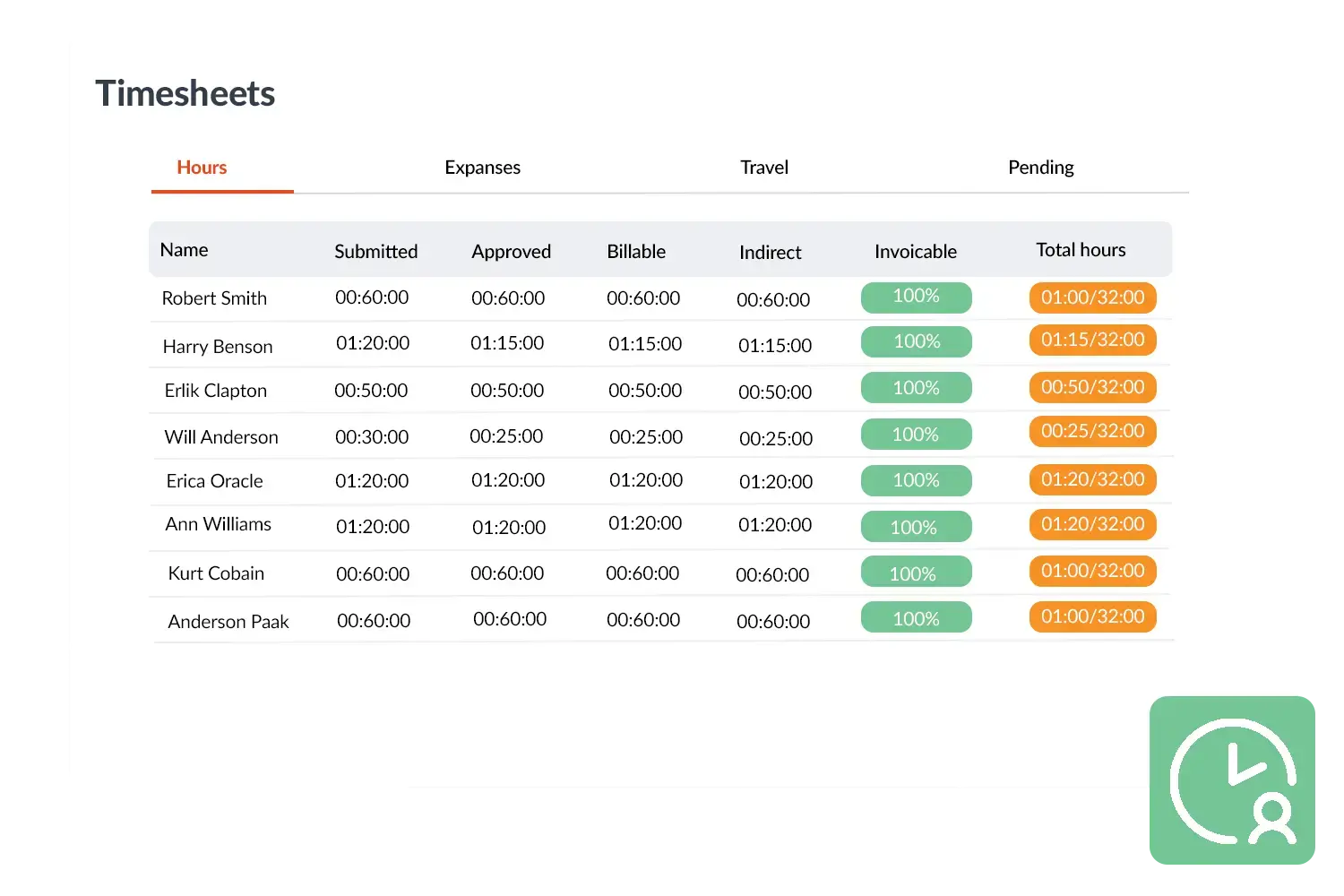
With Hours & Hourly Rates in OutSmart you register worked hours quickly and accurately. Technicians can track their time via the app, manually or via a timer. From the planning hours are automatically processed into the timesheet so you don’t have to do double work.

5_stars    Over 20.000 happy daily users
dennis-met-koffie

OutSmart Hourly Rates is a rate management module for field service companies that centralises all labour tariffs — standard rates, overtime, weekend surcharges, specialist fees, and customer-specific pricing — in one place. Rates apply automatically to work orders, quotes, and invoices based on technician role, job type, and time of day, eliminating manual calculations and pricing errors.

Manual rate management vs. OutSmart Hourly Rates

Topic Without OutSmart With OutSmart
Rate storage Spreadsheet per technician or per customer, often out of date Central rate card — one update applies everywhere immediately
Applying rates Manually looked up and entered per quote or invoice Rates applied automatically based on role, job type, and time
Overtime calculation Manually counted and checked — frequent errors Automatically calculated based on configured thresholds
Customer pricing Different sheets for different customers — easy to mix up Customer-specific rates stored against the account — always correct
Rate changes Update every spreadsheet, hope nothing is missed Change once in the rate card — applies to all future jobs instantly
Invoice accuracy Errors discovered by clients — damages trust Correct rate applied every time — no disputes, no corrections
 

Automatically adjust rates

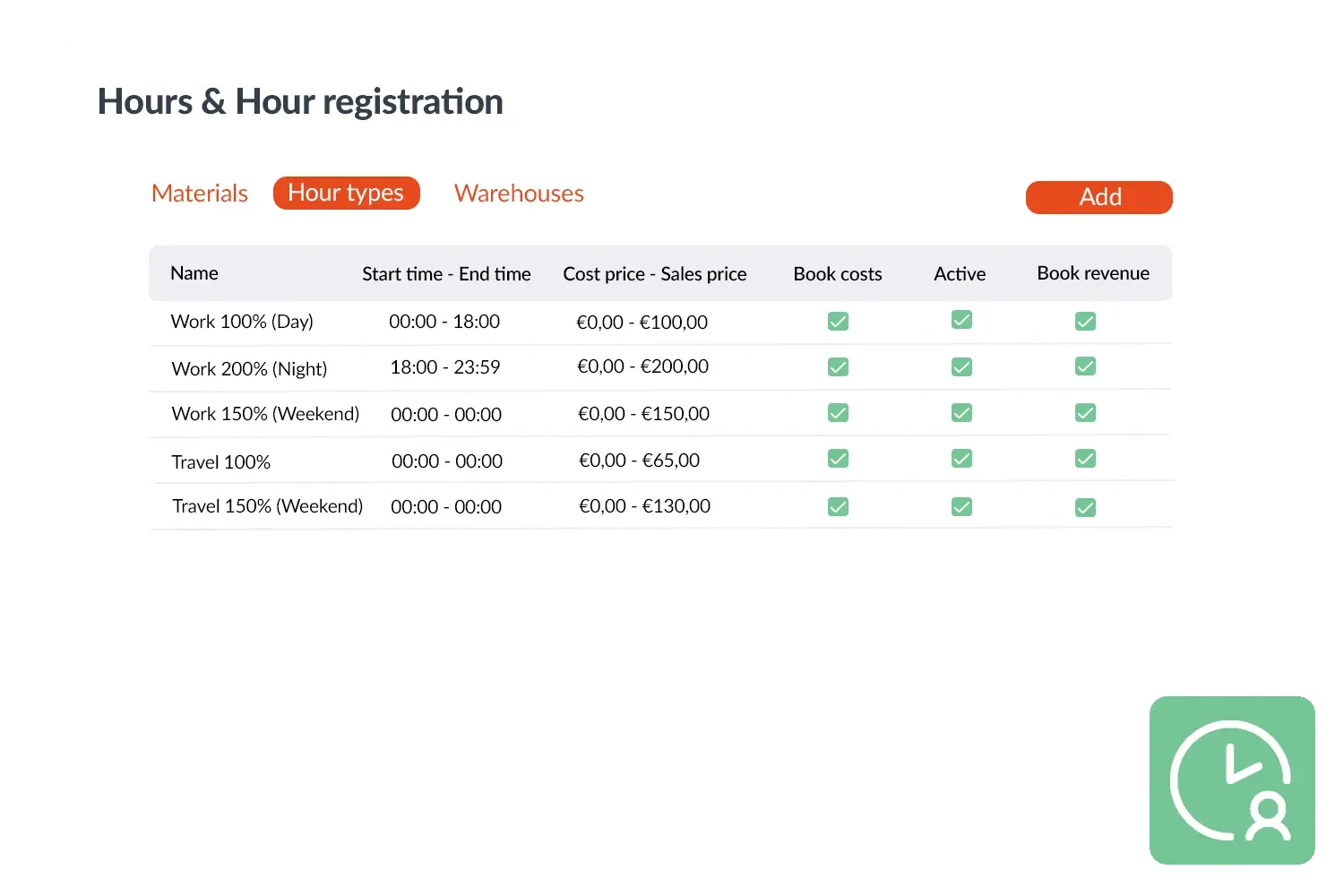
A key advantage is that hourly rates are set up as separate hour types in OutSmart. You can differentiate between working time, travel time or evening and weekend hours, each with its own rate. The timer automatically links the right hour type: half an hour of work at €100/hour is immediately recorded as €50. This makes billing accurate and eliminates extra administration.

This gives you control over costs and transparency towards your customer. Customers see exactly which hours were made and at which rate. For your team it means they spend less time on administration and can focus on the work itself. The registration flows effortlessly from work order to invoice.
Uren en Urenregistratie visual
 

Practical example

A sewer service company applies standard day rates and a higher rate for evening work. Technicians start a timer in the app. If a job starts at 15:00, OutSmart records the standard rate. If the job goes past 17:00, the system automatically switches to the evening rate. No calculations afterwards – everything is immediately correct on the invoice.

Benefits
  • Automatic linking of time to the correct hour type
  • Supports day, evening and weekend rates
  • Less administration – hours from planning processed directly
  • Accurate and transparent billing
Timesheets visual
3232784

Work orders per year

5172

Customers trust OutSmart

14
+

Years of experience

We constantly had to create work orders manually with pen and paper. By providing a clear digital system with many options, along with an excellent helpdesk that assists with everything, even the smallest questions, Outsmart has helped us.

Thomas Loos, Display4all

We used to lose work orders now and then, which made tracking time a challenge. With the easy digital entry of work orders, it's much simpler for the technician to manage the administration. Having 100% accurate work orders has definitely cut our administrative time in half.

Pascal Hanenbergh, Hanenberg Techniek


Frequently asked questions about OutSmart Hourly Rates

Hourly rate management centralises all your labour tariffs — standard rates, overtime, weekend and public holiday surcharges, specialist fees, and customer-specific pricing — in one place. OutSmart Hourly Rates applies the correct tariff automatically to every work order, quote, and invoice based on who did the work, when, and for which client.

Yes. OutSmart supports multiple rate cards with different rates per technician level, job category, or task type. For example, a junior engineer can have a different standard rate than a senior specialist, and installation work can be priced differently from maintenance.

You configure overtime thresholds and surcharge multipliers in the rate settings — for example, 150% after 8 hours per day or on Saturdays, and 200% on Sundays or public holidays. OutSmart applies these automatically when hours are registered, with no manual calculation needed.

Yes. Individual customers can have their own agreed rates stored against their account. When a job is created for that customer, OutSmart uses the customer-specific rate automatically — regardless of the standard rate card.

No. Rate changes apply to new jobs and quotes created after the update. Existing work orders and invoices retain the rate that was in effect when they were created, maintaining a correct audit trail.

Yes. When a technician or office user creates a quote, OutSmart pulls the applicable rate from the rate card automatically. The client sees an accurate, itemised quote based on current rates — no manual lookup or calculation required.

Yes. Travel time can be configured with its own tariff — for example, a lower rate per hour for driving time than for on-site work time. This is especially relevant for jobs that involve significant travel or where travel is billed differently under a contract.

Try OutSmart completely free for 14 days!