


OutSmart Equipment Management is a digital tool for tracking the tools, vehicles, and machinery used by field service teams. It registers which equipment is assigned to which technician, tracks usage and service history, flags maintenance intervals, and ensures the right equipment is available and in good condition before every job.

Manual equipment tracking vs. OutSmart Equipment Management

Topic Without OutSmart With OutSmart
Equipment location Unknown — ask around or check the car park Every item assigned to a technician or location in real time
Service history Paper log in the vehicle or no record at all Full service and inspection history per item, digitally stored
Maintenance due Remembered or missed — equipment fails unexpectedly Automatic alert when service interval or certificate expires
Assignment to jobs Verbal coordination — easy to double-book Equipment linked to work orders — availability visible in planning
Loss and damage Discovered late, hard to assign responsibility Usage log shows who had the item and when — clear accountability
Cost per job Not tracked — equipment costs invisible on invoices Equipment usage registered per job for accurate cost allocation

Equipment

Full Control of Your Assets.

In field service, equipment such as lifts, excavators, or specialized tools is essential for getting the job done. But without proper management, assets can go missing, suffer unexpected breakdowns, or simply be unavailable when you need them most. OutSmart’s Equipment Management gives you complete visibility and control over all your company assets, wherever they are.

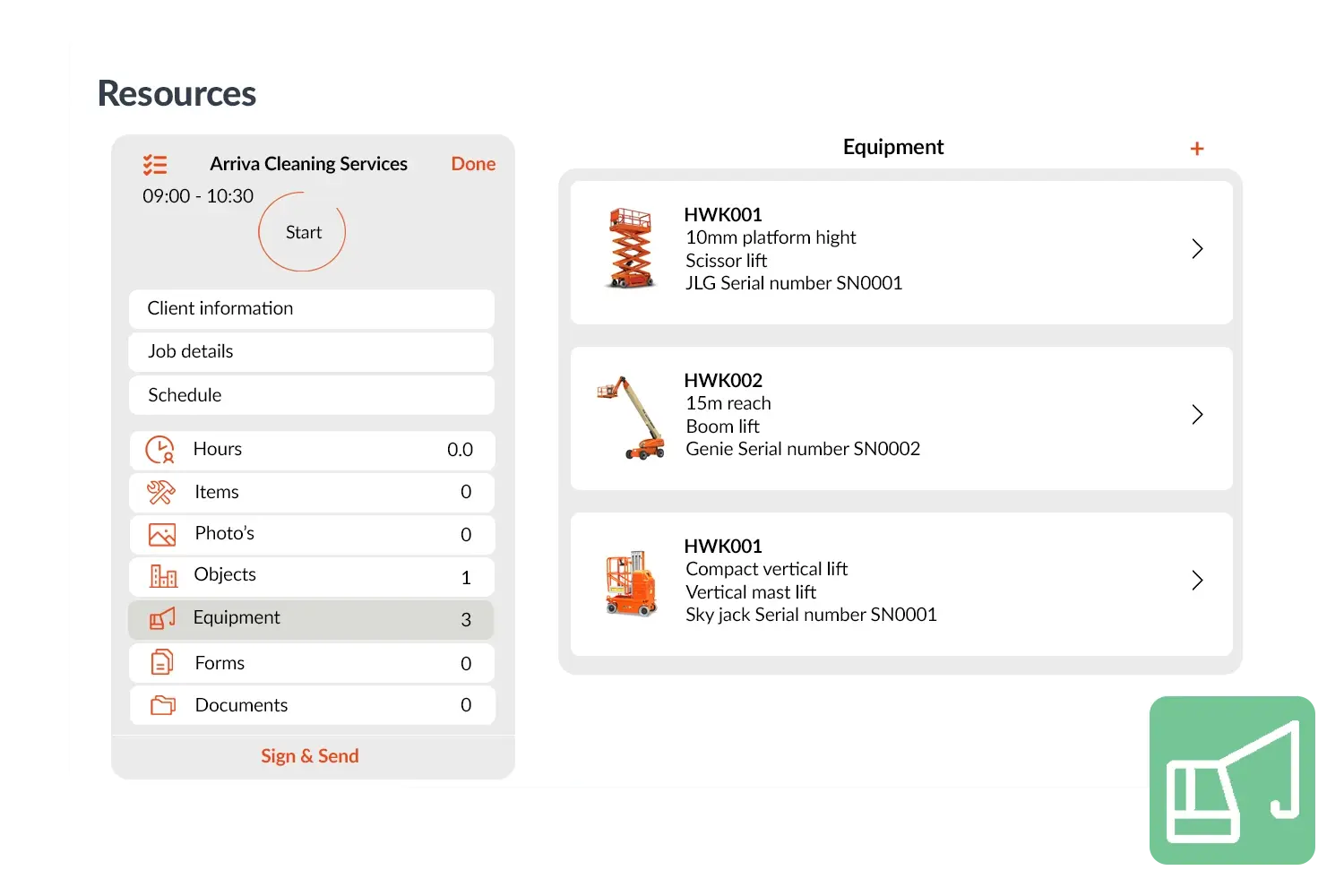
Every machine or tool can be digitally registered, with details such as location, status, and maintenance history. This makes it easy to track how equipment is being used, when it was last serviced, and when inspections are due.

5_stars    Over 20.000 happy daily users
Alexandra's Equipment
 

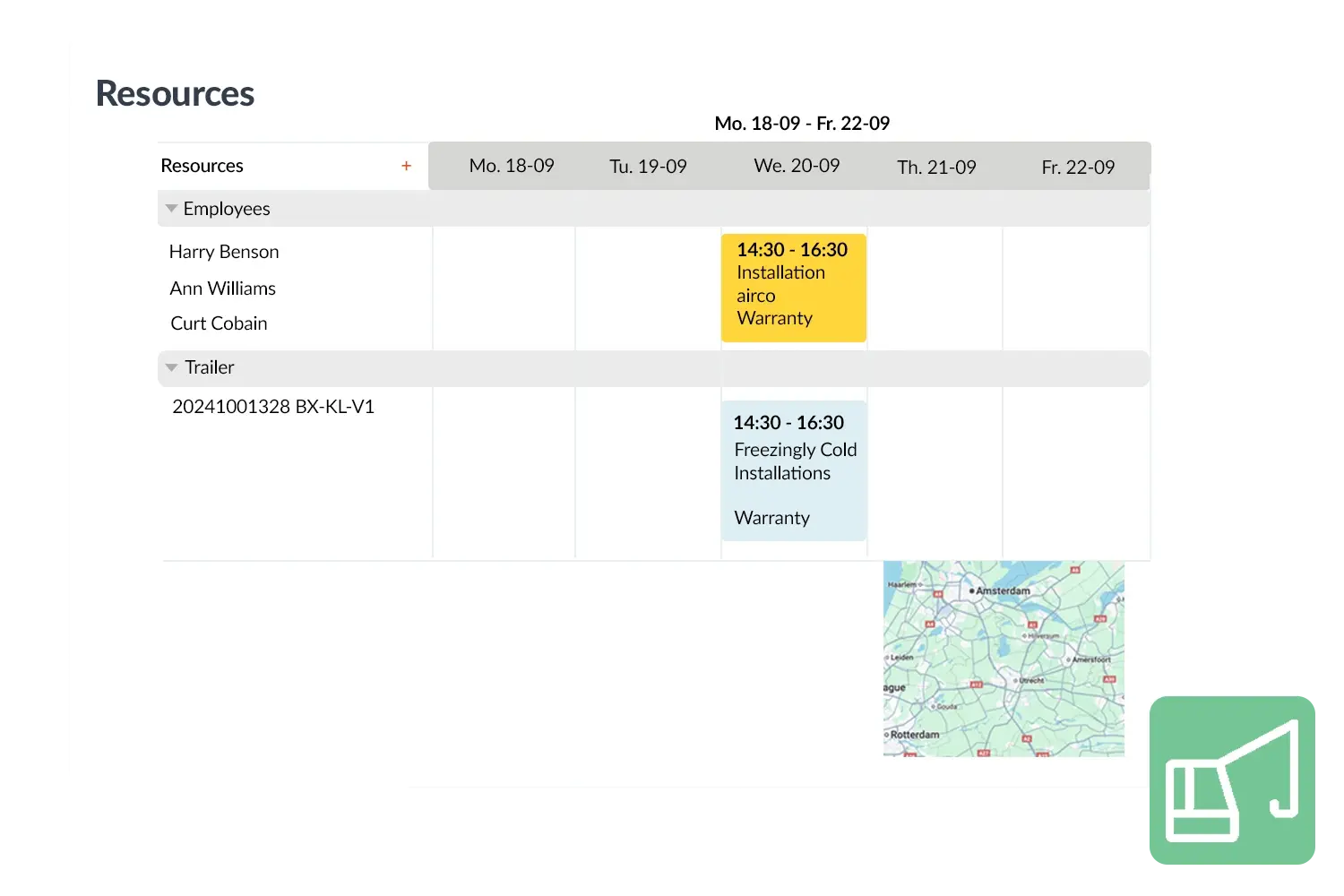
Assign equipment to work orders

By linking equipment directly to work orders and projects, you ensure that the right tools are assigned to the right job. This avoids costly delays, prevents repeat visits, and keeps your teams efficient. In the office, managers gain a real-time overview of all assets, enabling better planning and higher utilization rates.

For your business, this means less downtime, lower repair costs, and more reliable service delivery. Customers experience fewer delays, and your team works with confidence knowing that every piece of equipment is available and ready when needed. OutSmart keeps your assets organized, compliant, and performing at their best—so your projects keep moving.
Resources visual-1
 

Practical example

A construction company manages several aerial work platforms (lifts) through OutSmart. Each platform is digitally registered, including inspection dates and location. When a technician is scheduled for a roofing job, the planner links the nearest available lift to the work order. The technician arrives with the right equipment, while the office is notified that the lift will soon need maintenance. This prevents unplanned downtime and keeps projects on schedule.

Benefits
  • Full digital overview of all equipment, from heavy machinery to tools

  • Always insight into status, location, and maintenance history

  • Smarter planning – link equipment to jobs and projects directly

  • Prevent downtime with timely inspections and maintenance

  • Reduce costs and increase reliability across your operations
Resources visual 2
3232784

Work orders per year

5172

Customers trust OutSmart

14
+

Years of experience

We constantly had to create work orders manually with pen and paper. By providing a clear digital system with many options, along with an excellent helpdesk that assists with everything, even the smallest questions, Outsmart has helped us.

Thomas Loos, Display4all

We used to lose work orders now and then, which made tracking time a challenge. With the easy digital entry of work orders, it's much simpler for the technician to manage the administration. Having 100% accurate work orders has definitely cut our administrative time in half.

Pascal Hanenbergh, Hanenberg Techniek


Frequently asked questions about OutSmart Equipment Management

Equipment management software tracks the tools, vehicles, and machinery used by your field team — who has what, where it is, when it was last serviced, and when the next maintenance is due. OutSmart Equipment Management gives you a live overview of all equipment, linked to technicians, jobs, and service records.

Yes. Equipment in OutSmart is assigned to a technician or location. The management view shows the current assignment for every item — so you can quickly find a specific tool, vehicle, or machine without making phone calls.

Each piece of equipment has a configurable service interval — by date, mileage, or usage hours. When the interval approaches, OutSmart sends an automatic alert to the responsible manager. This prevents unexpected breakdowns and keeps equipment compliant with inspection requirements.

Yes. When planning a job that requires specific equipment — a cherry picker, a specialist diagnostic tool, or a calibrated instrument — that item is linked to the work order. The planning board shows equipment availability alongside technician availability, preventing double-booking.

Yes. Vehicles are tracked the same way as tools and machinery — service history, MOT dates, insurance expiry, and current assignment are all stored per vehicle. Alerts fire before certificates or service intervals lapse.

Yes. When equipment usage is registered against a work order, the associated cost can be included in the invoice automatically. This is especially relevant for hired or specialist equipment where the cost should be passed on to the client.

Yes. Technicians can flag an equipment issue directly from the OutSmart mobile app — attaching a photo and description. The report is logged against the equipment record and alerts the responsible manager, so repair or replacement can be arranged without delay.

Try OutSmart completely free for 14 days!