


Automations

Let OutSmart do the work, you gain back time

With Automations, you put repetitive tasks on autopilot. Connect your own triggers and actions, such as automatically sending an invoice after a completed work order, scheduling follow-up tasks, or emailing customers instantly. This keeps your processes faster, more consistent, and free from manual steps.

5_stars    Over 20.000 happy daily users
automations

OutSmart Automations is a workflow automation tool for field service companies that triggers actions automatically based on events — such as sending a customer confirmation when a job is planned, creating a follow-up work order when an inspection fails, or notifying a manager when an SLA deadline approaches. No code required: rules are configured in a visual interface.

Manual follow-up vs. OutSmart Automations

Step Without OutSmart With OutSmart
Job confirmation Office staff manually calls or emails each customer Automatic confirmation sent as soon as the job is planned
Follow-up jobs Coordinator remembers to create them — often forgotten Failed inspection or trigger event automatically creates next job
SLA alerts Manually checked — often noticed after breach Automatic alert sent before SLA deadline is reached
Recurring tasks Diary reminder — dependent on one person remembering Automated recurring work order at the configured interval
Internal handovers Email or verbal — easy to miss in a busy team Triggered notification to the right person at the right moment
Customer updates Ad hoc, inconsistent, often skipped under pressure Standardised — same experience for every customer, every time
 

Automate boring tasks

Because OutSmart performs these tasks automatically, your employees have more time for the work that really matters. Less time is lost on administrative hassle and teams can focus on quality and customer-oriented work.

In addition, automation contributes to professionalism. Customers notice that follow-up is consistent: confirmations arrive on time, invoices are never forgotten and internal tasks run more smoothly. This strengthens trust in your organization and results in higher customer satisfaction.
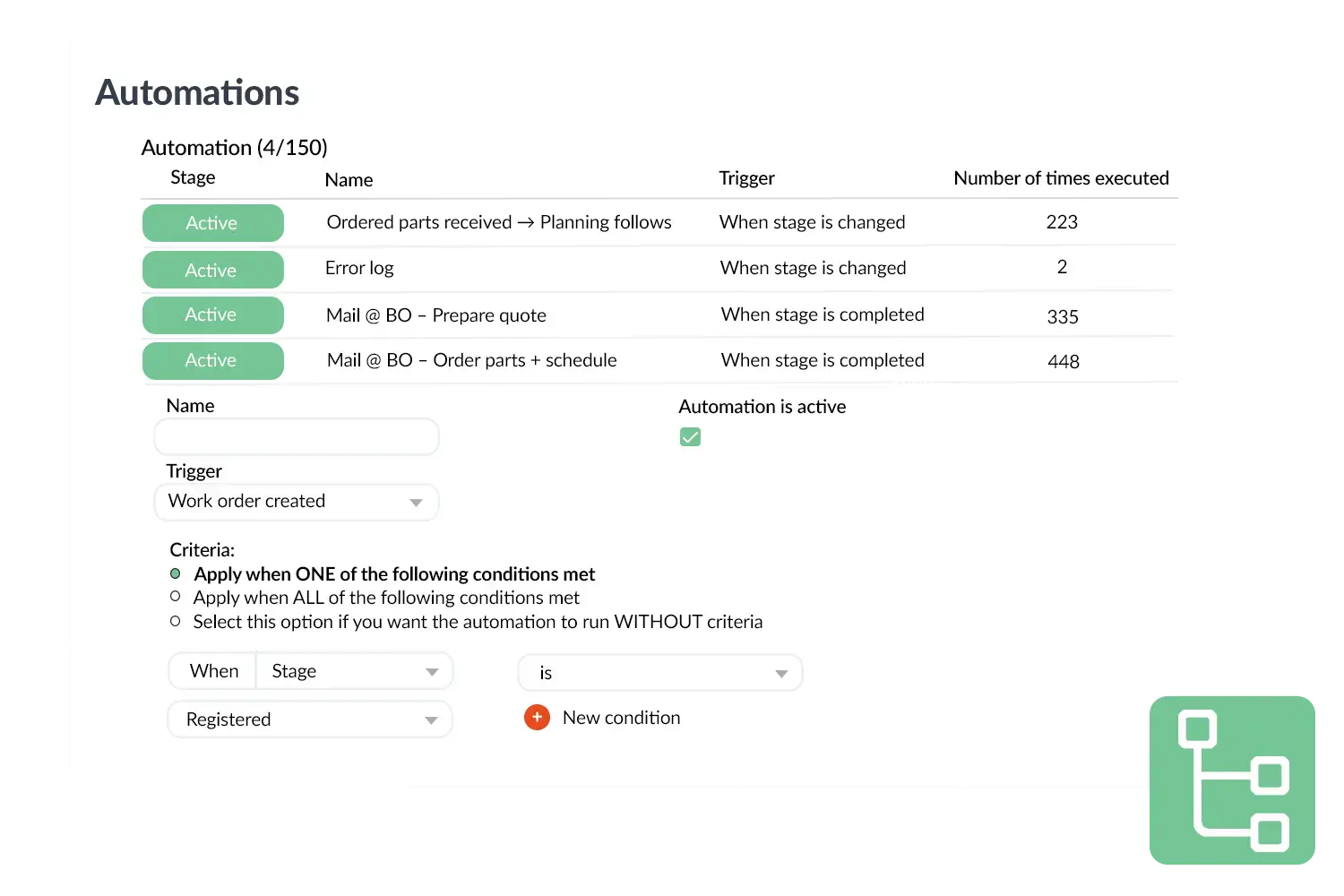
 

Automations visual
 

Practical example

A service company suffered from delays in invoicing: employees regularly forgot to send invoices after completing a job. With Automations, it is set up that an invoice is automatically created and sent as soon as the work order is completed. As a result, all invoices are processed on time, cash flow has improved and employees are rid of a recurring administrative task.

Benefits
  • Less manual administration and thus time savings.
  • Always consistent follow-up of tasks and communication.
  • Fewer errors through automatically executed actions.
  • More focus for employees on their core tasks.
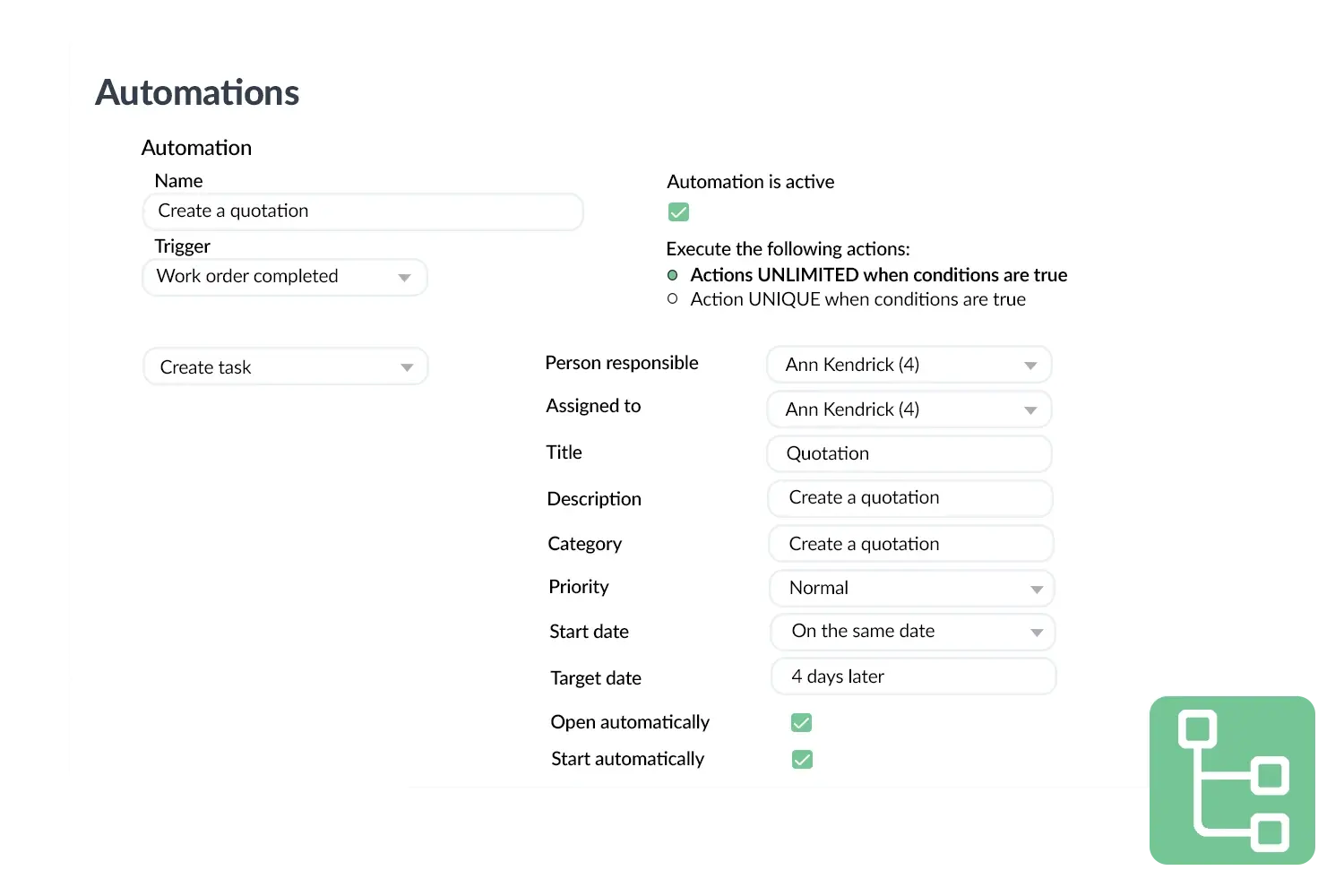
Automations visual 2
3232784

Work orders per year

5172

Customers trust OutSmart

14
+

Years of experience

We constantly had to create work orders manually with pen and paper. By providing a clear digital system with many options, along with an excellent helpdesk that assists with everything, even the smallest questions, Outsmart has helped us.

Thomas Loos, Display4all

We used to lose work orders now and then, which made tracking time a challenge. With the easy digital entry of work orders, it's much simpler for the technician to manage the administration. Having 100% accurate work orders has definitely cut our administrative time in half.

Pascal Hanenbergh, Hanenberg Techniek


Frequently asked questions about OutSmart Automations

Workflow automation triggers actions automatically when a defined event occurs — for example, sending a customer confirmation when a job is scheduled, creating a follow-up work order when a checklist item fails, or escalating an overdue ticket to a manager. OutSmart Automations lets you configure these rules without writing any code.

Common automations include: customer appointment confirmations, post-job satisfaction surveys, SLA deadline alerts, follow-up work order creation from failed inspections, recurring maintenance job scheduling, internal handover notifications between departments, and reminder emails for outstanding quotes.

No. OutSmart Automations uses a visual rule builder — you select a trigger (e.g. "job status changes to Completed"), a condition (e.g. "job type is Maintenance"), and an action (e.g. "send satisfaction survey to customer"). No coding or IT support required.

Yes. Automations can send emails or SMS messages to customers at any point in the job lifecycle — appointment confirmation, technician on-the-way notification, job completion summary, invoice notification, or follow-up survey. Message templates are customisable.

Yes. If a technician marks a checklist item as failed, or if a specific job outcome is registered, OutSmart can automatically generate a follow-up work order, assign it to the right team, and add it to the planning board — without any manual intervention from the office.

You can configure automations to alert the responsible manager or dispatcher when a job is approaching its SLA deadline without being assigned or completed. This allows proactive intervention before a breach occurs, rather than discovering it in a report after the fact.

Yes. OutSmart keeps an automation log showing which rules triggered, when, and what action was taken. This is useful for auditing, troubleshooting, and demonstrating process consistency to customers or auditors.

Try OutSmart completely free for 14 days!