


Every installation you service, tracked in one place

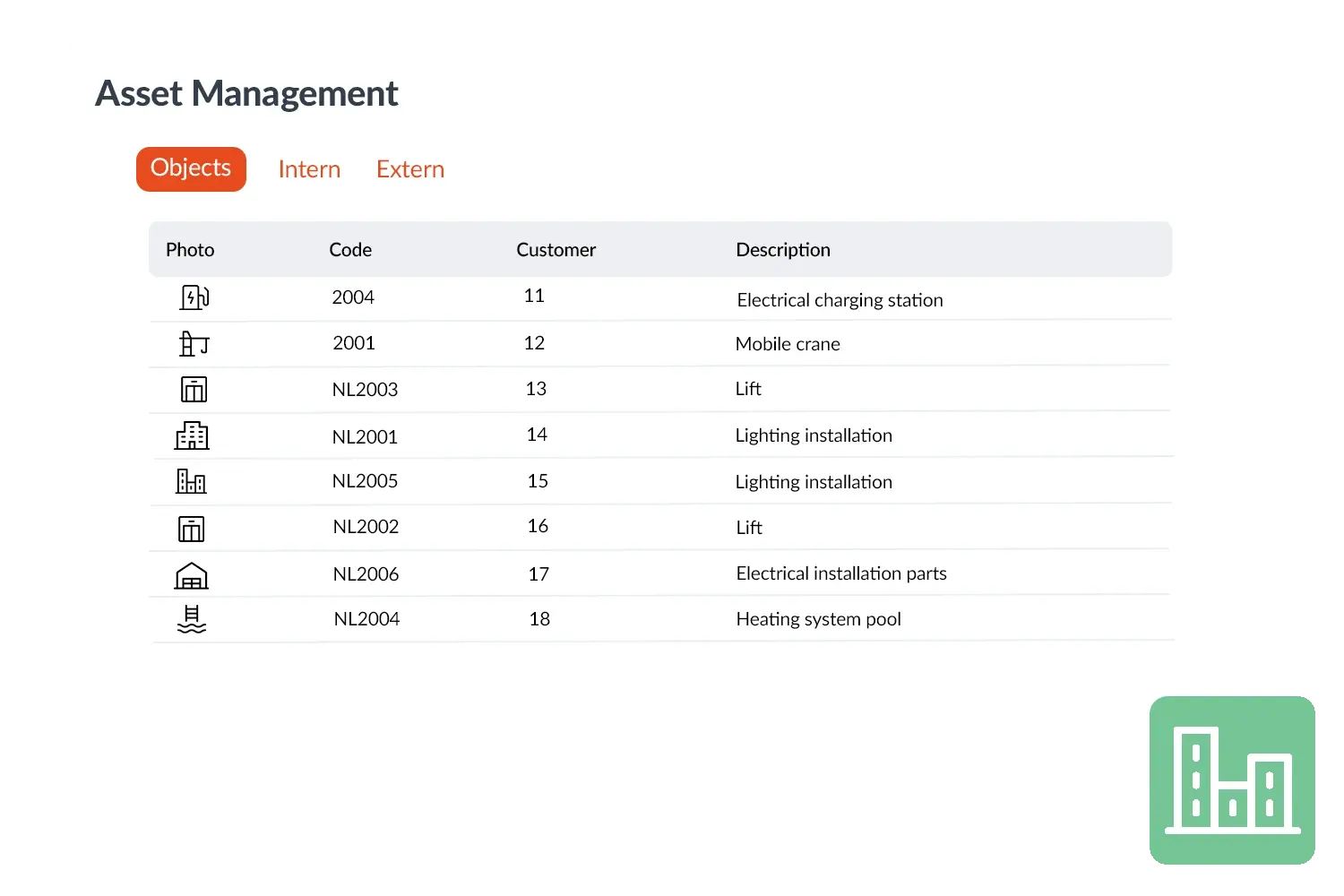
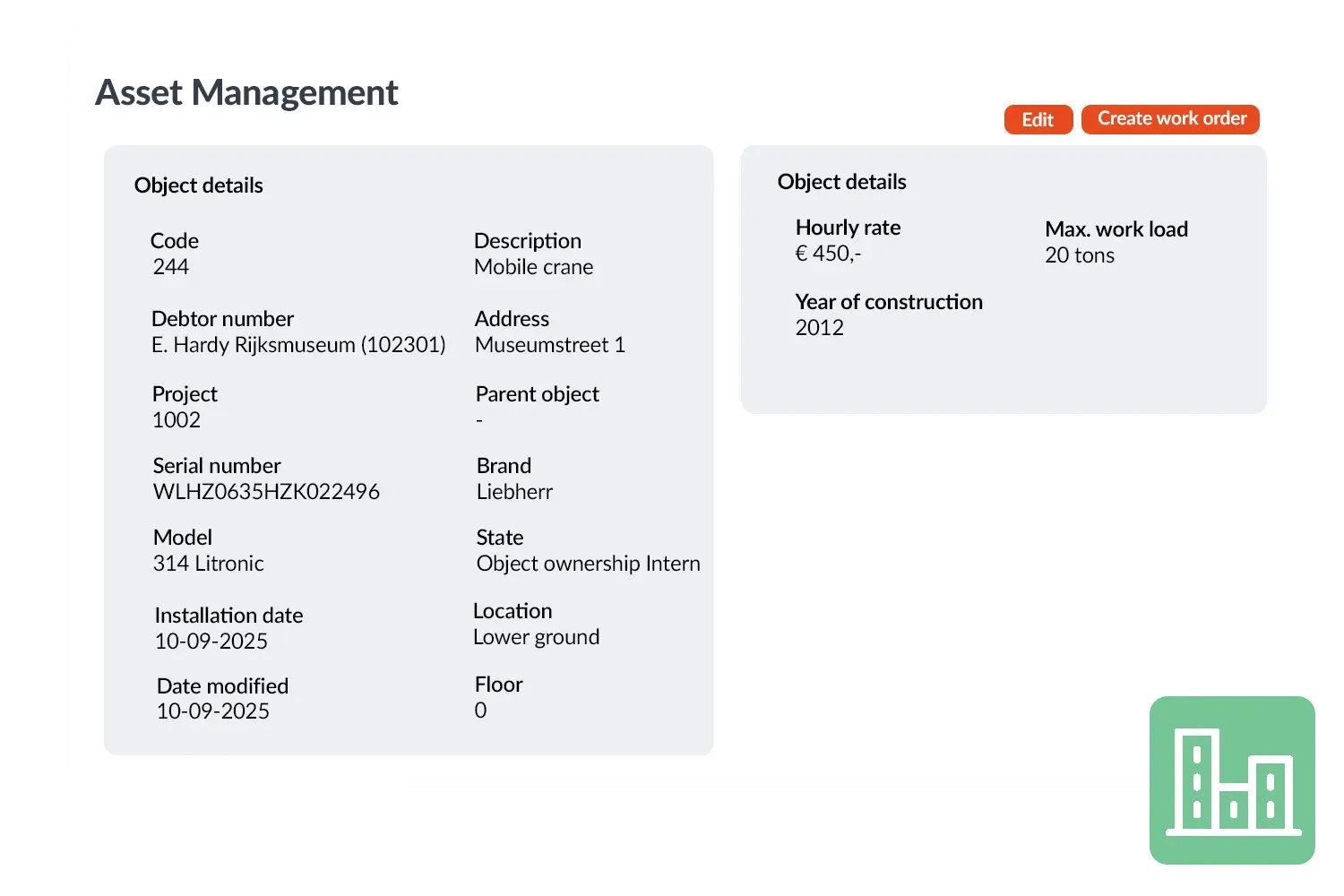
Give every machine, installation or object its own card — type, location, serial number, maintenance history and documents, all in one place.

With Asset Management in OutSmart you easily register all installations, machines or other objects at your customers. Each object gets its own card with details such as type, location, serial number, maintenance history and linked documents. This way you always know exactly what is present at the customer and what work has already been performed.

5_stars    Over 20.000 happy daily users
Asset management

OutSmart Asset Management is object and equipment tracking software for field service companies. It stores the complete history of every asset — installation date, service visits, inspections, certificates, and warranties — linked directly to the customer and location. Technicians access the full asset record on-site from their mobile app, so they arrive informed and equipped.

Manual asset tracking vs. OutSmart Asset Management

Step Without OutSmart With OutSmart
Asset history Scattered across paper files, email threads, and spreadsheets Complete service history per asset — one click, instantly accessible
On-site context Technician calls office or arrives without information Full asset record on the technician's phone before arrival
Warranty tracking Remembered or looked up manually — often missed Warranty dates stored per asset, expiry alerts sent automatically
Inspection records Paper forms stored in folders, hard to retrieve Digital inspection reports linked to the asset, fully searchable
Maintenance planning Reactive — scheduled only after a breakdown Proactive — maintenance intervals set per asset, jobs created automatically
Customer reporting Manual summary compiled per request Asset history report generated instantly for any client or site
 

View an objects maintenance history

When a customer calls with a malfunction you do not need to search. You immediately see which object it concerns, including previous work orders, forms and manuals. You can thus send the right technician, with the right information and materials, well prepared in one go. This saves time, prevents double trips and increases customer satisfaction.

Object Management not only makes your service more efficient but also more professional. By making object data and maintenance history centrally available you always have a complete picture of the situation at the customer. This improves your service and offers a higher degree of reliability.
Objectbeheer visual-1
 

Practical example

A maintenance company registers all boilers of a housing corporation in OutSmart. In the event of a malfunction, the planner immediately sees what type of boiler it is, which parts have already been replaced and which manual belongs to it. The technician goes prepared and avoids unnecessary second visits.

Benefits
  • See every asset a customer owns at a glance
  • Pull up full maintenance history instantly — no more searching
  • Link assets straight to work orders, documents and forms
  • Cut errors and wasted return trips
  • Professional service – your customer notices the difference
Objectbeheer visual 2-1

From QR code to maintenance history

Every asset in OutSmart carries its own record from the day it is installed. Scan it, structure it, and keep the full service story in one place — for the office and for the technician on site.

SCAN

QR codes on the equipment

Generate a QR code per object, stick it on the equipment, and let technicians open the right asset in the app with one scan — no searching between similar units.

STRUCTURE

Parent-child objects and parts

Model real installations: building → installation → unit. Register serviceable components as parts with their own serial details and quantities.

PLAN

Maintenance and inspection dates

Keep last-service and inspection dates on every object, so overdue maintenance is spotted early and technicians arrive with context.

COVER

Warranty expiration

Store the warranty end date per asset and see instantly whether a repair falls under coverage before you quote or invoice.

TRACE

Status and full history

Track whether an asset is installed, internal, or replaced — and open the complete history of work orders, forms, and photos on the object.

3232784

Work orders per year

5172

Customers trust OutSmart

14
+

Years of experience

We constantly had to create work orders manually with pen and paper. By providing a clear digital system with many options, along with an excellent helpdesk that assists with everything, even the smallest questions, Outsmart has helped us.

Thomas Loos, Display4all

We used to lose work orders now and then, which made tracking time a challenge. With the easy digital entry of work orders, it's much simpler for the technician to manage the administration. Having 100% accurate work orders has definitely cut our administrative time in half.

Pascal Hanenbergh, Hanenberg Techniek


Frequently asked questions about OutSmart Asset Management

Field service asset management software stores the complete lifecycle of equipment and objects — installation, inspections, maintenance, certificates, and warranties — linked to the customer and location. OutSmart Asset Management gives technicians full asset context on their phone before they arrive, so every service visit is informed and efficient.

OutSmart stores installation date, serial number, model, location, warranty expiry, maintenance intervals, inspection history, associated certificates, photos, and all service reports. You can also add custom fields to track anything specific to your industry or asset type.

Yes. The full asset record is available on the technician's OutSmart mobile app — including previous service reports, open issues, warranty status, and required certificates. No need to call the office or carry paper files.

Yes. Maintenance intervals are configured per asset or asset type. When an interval falls due, OutSmart automatically creates a work order and assigns it — so maintenance happens proactively rather than reactively after a breakdown.

Yes. Assets are linked to a specific location within a customer account. If a client has five sites, each with different equipment, you can view all assets per site or across the full account — filtered by type, status, or service date.

Service work performed on an asset is linked directly to the work order and flows to the billing module. Materials used, hours spent, and travel costs are invoiced automatically — with the asset reference included for transparent client billing.

Yes. Installation manuals, commissioning reports, warranty certificates, and photos can be uploaded and attached to any asset in OutSmart. These are accessible to both office staff and technicians in the field.

Yes. You can generate a QR code for every object in the BackOffice, print it, and attach it to the equipment. Technicians scan the code with the OutSmart mobile app to open the right asset instantly, with its full history and forms — and manual search by object code stays available as a fallback.

Yes. Objects can be linked hierarchically — for example building → installation → unit — so technicians see the context of every sub-object. For serviceable components inside one asset, object parts let you record quantities, serial details, and service information without creating separate objects.

Yes. Every object can store a warranty expiration date, so your team sees at a glance whether equipment is still within coverage — useful for service responsibility, replacement decisions, and customer communication.

Yes. Save recurring equipment types — brand, model, type, and custom fields — as object templates and reuse them whenever you register a new asset. Updating a template later only affects objects created from it afterward, so existing records stay untouched.

Yes. Once object creation is enabled in your device policies, technicians can add a new object directly from a work order in the mobile app — for example when they find an unregistered installation. The new asset syncs back to the BackOffice automatically.

Objects are the assets you service at customer locations, such as boilers, HVAC units, and machines. Resources are your own internal equipment — vehicles, trailers, cranes, tools — which are marked internal, can be planned in the Scheduler, linked to work orders, and charged with their own tariffs.

Yes. Objects with coordinates can appear on the map in the mobile app, which helps technicians locate equipment faster on larger sites. You can also show recent object activity on the map to see where work was done last.

Try OutSmart completely free for 14 days!