


Forms & checklists

Capture everything the way you want.

With Forms in OutSmart you easily create digital checklists and questionnaires that perfectly fit your processes. Think of intake forms, delivery reports, safety checks (LMRA) or quality controls. You decide the questions, answer options and mandatory fields yourself. This way you are sure that every employee collects the right information – structured and always legible.

5_stars    Over 20.000 happy daily users
Woman with tool

OutSmart Forms & Checklists is digital inspection and reporting software for field service teams. Technicians complete structured forms, checklists, and service reports directly on their smartphone or tablet while on-site. Data is submitted in real time, triggers follow-up actions automatically, and is stored with timestamp and signature — replacing paper entirely.

Paper forms vs. OutSmart Forms & Checklists

Step Without OutSmart With OutSmart
Completing a form Paper or PDF, filled in by hand on-site Digital form on smartphone — fast, guided, no missing fields
Submitting data Collect at end of day or post to office Submitted in real time as soon as the job closes
Photos & evidence Separate camera, printed or emailed later Photos taken and attached directly inside the form
Customer signature Paper signature, scanned or sent by post Digital signature captured on tablet — stored automatically
Follow-up actions Office manually checks form and triggers next step Automatic — failed check triggers work order or alert
Searching records Manual search through paper archives or email folders Instant search by customer, date, asset, or technician
 

Link forms to different work orders

Forms are directly linked to work orders, objects or projects. This builds a complete history and prevents loose papers or incomplete data. Technicians fill in forms via the mobile app, also on the go, including photos, signatures or automatically filled customer data.

This flexibility ensures that forms are valuable both internally and towards customers. You guarantee quality and create professional reports that you can easily share. This shows that your organisation works carefully and transparently.
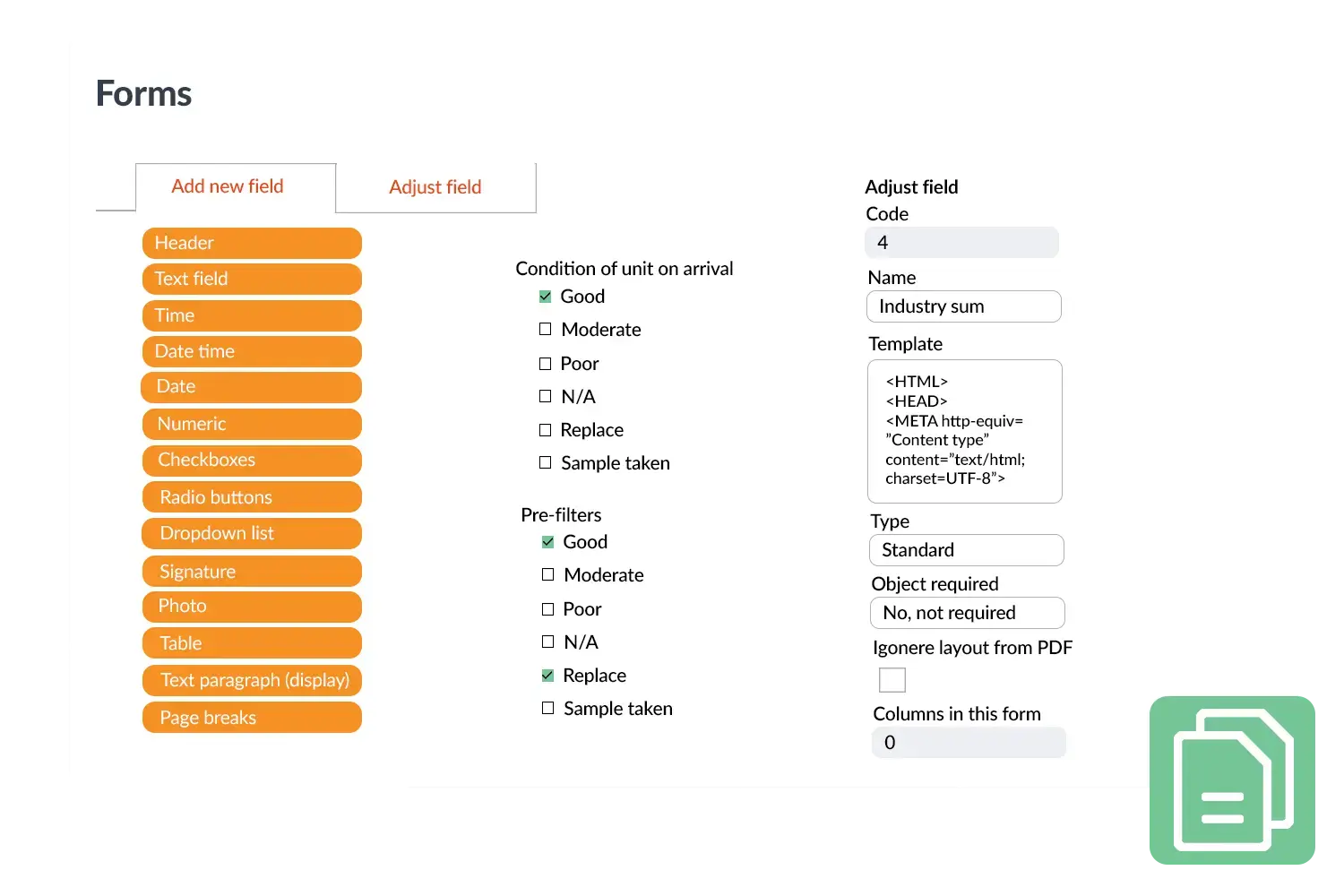
Forms visual
 

Practical example

An installation company uses a delivery checklist in OutSmart. Technicians go through all points step by step, add a photo of the final result and let the customer sign digitally. The report is automatically stored with the work order and immediately shared with the customer.

Benefits
  • Always complete – no missing data anymore
  • Flexible – set your own questions and requirements
  • Directly linked – to work orders, objects and projects
  • Professional – digital reports for customer and back office
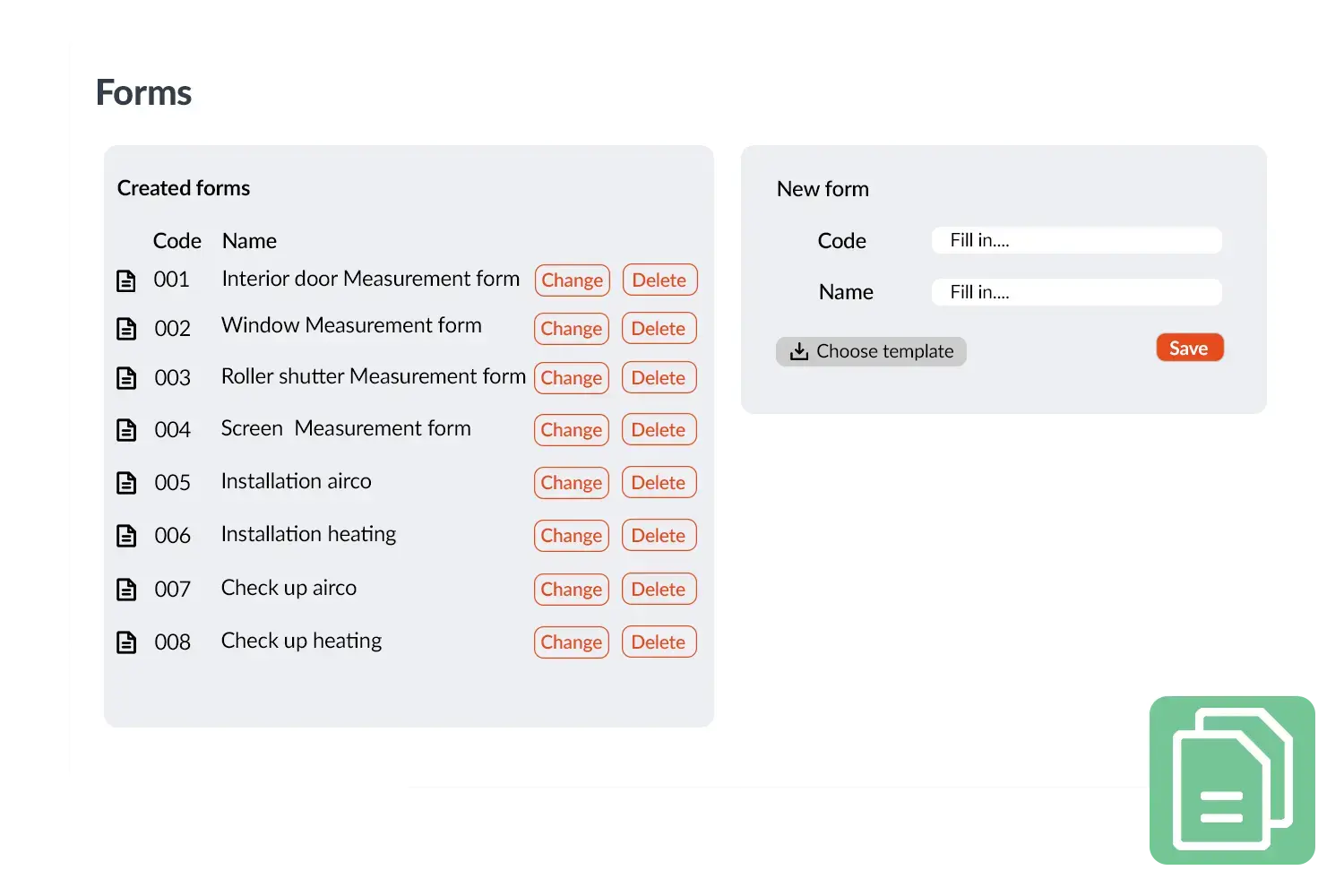
Forms visual 2
3232784

Work orders per year

5172

Customers trust OutSmart

14
+

Years of experience

3232784

Work orders per year

5172

Customers trust OutSmart

14
+

Years of experience

We constantly had to create work orders manually with pen and paper. By providing a clear digital system with many options, along with an excellent helpdesk that assists with everything, even the smallest questions, Outsmart has helped us.

Thomas Loos, Display4all

We used to lose work orders now and then, which made tracking time a challenge. With the easy digital entry of work orders, it's much simpler for the technician to manage the administration. Having 100% accurate work orders has definitely cut our administrative time in half.

Pascal Hanenbergh, Hanenberg Techniek


Frequently asked questions about OutSmart Forms & Checklists

Digital field service forms replace paper inspection sheets, service reports, and checklists with structured mobile forms completed by technicians on-site. OutSmart Forms & Checklists ensures all required fields are filled, attaches photos and signatures, and submits data in real time — eliminating manual data entry and lost paperwork.

Yes. OutSmart has a form builder where you create custom checklists and inspection forms with text fields, dropdowns, yes/no checks, numeric inputs, photo uploads, and signature fields. Different forms can be assigned to different job types or asset categories.

Yes. You can configure rules so that a failed check (e.g., a safety issue identified during a maintenance visit) automatically generates a new work order and assigns it to the relevant technician or team — no manual follow-up required from the office.

Clients sign directly on the technician's tablet or smartphone at the end of a job. The signed form is stored automatically against the work order, with timestamp and GPS location, and can be emailed to the client instantly as a PDF.

Yes. Technicians can take photos directly inside the OutSmart app and attach them to any form field or checklist item. This is especially useful for before-and-after documentation, evidence of damage, or compliance photography for audit purposes.

Yes. All submitted forms are stored in a searchable archive. You can filter by customer, technician, date range, job type, or any custom field — making it fast to retrieve a specific record for a client query, audit, or insurance claim.

Yes. Maintenance checklists can be attached to recurring contract jobs, so the same structured inspection is completed every time a technician visits. The system tracks completion history and flags if a scheduled form has not been submitted.

Try OutSmart completely free for 14 days!